
Tenet vs Final Cut Pro
Both of these are made for the Mac. Final Cut Pro cuts footage you bring to it, and Tenet, the AI film studio for Mac, creates the footage too, then cuts it with you.
The short answer
Choose Tenet if you want to make a film from an idea, since it plans on a board, generates with 63 models and edits on a free timeline, with an agent that can do all three. Choose Final Cut Pro if you have footage and want a refined editor for it. You could use both, exporting ProRes 422 from Tenet.
Tenet and Final Cut Pro, side by side
| Feature | Tenet | Final Cut Pro |
|---|---|---|
| Where it runs | Mac app (Apple silicon, macOS 13.3 or later). No browser or Windows version. | Mac and iPad. |
| Price | Free download and free editor. Plans at $47, $97 and $197 a month. Top-ups from $10. | $299.99 once for Mac, or Apple Creator Studio at $12.99 a month or $129 a year. |
| Models | 63 models from many makers, including Veo 3.1, Kling 3.0, Seedance 2.5, Nano Banana Pro, GPT Image 2.5 and ElevenLabs, on one credit balance. | Apple lists assistive tools. It doesn't list generative video or third-party video models, and text-to-image is arriving in a November update with the model unnamed. |
| Timeline editor | A real multi-track timeline: tracks, titles, captions, keyframes, color and sound. Exports H.264, H.265 and ProRes 422, up to 4K. | A refined Mac and iPad editor with Transcript and Visual Search, Magnetic Mask, Beat Detection and Montage Maker. |
| Agent | Built in. It plans on the board, generates and edits the timeline. It asks before it spends, and anything it changes can be undone. | None mentioned for Final Cut in Apple's October 2026 announcement. |
Details about Final Cut Pro were checked against its own pages on 2026-11-09 and can change. Sources: Final Cut Pro, Apple Creator Studio update, MacRumors on one-time vs Creator Studio.
Why people choose Tenet over Final Cut Pro
Your Mac can do more than the edit
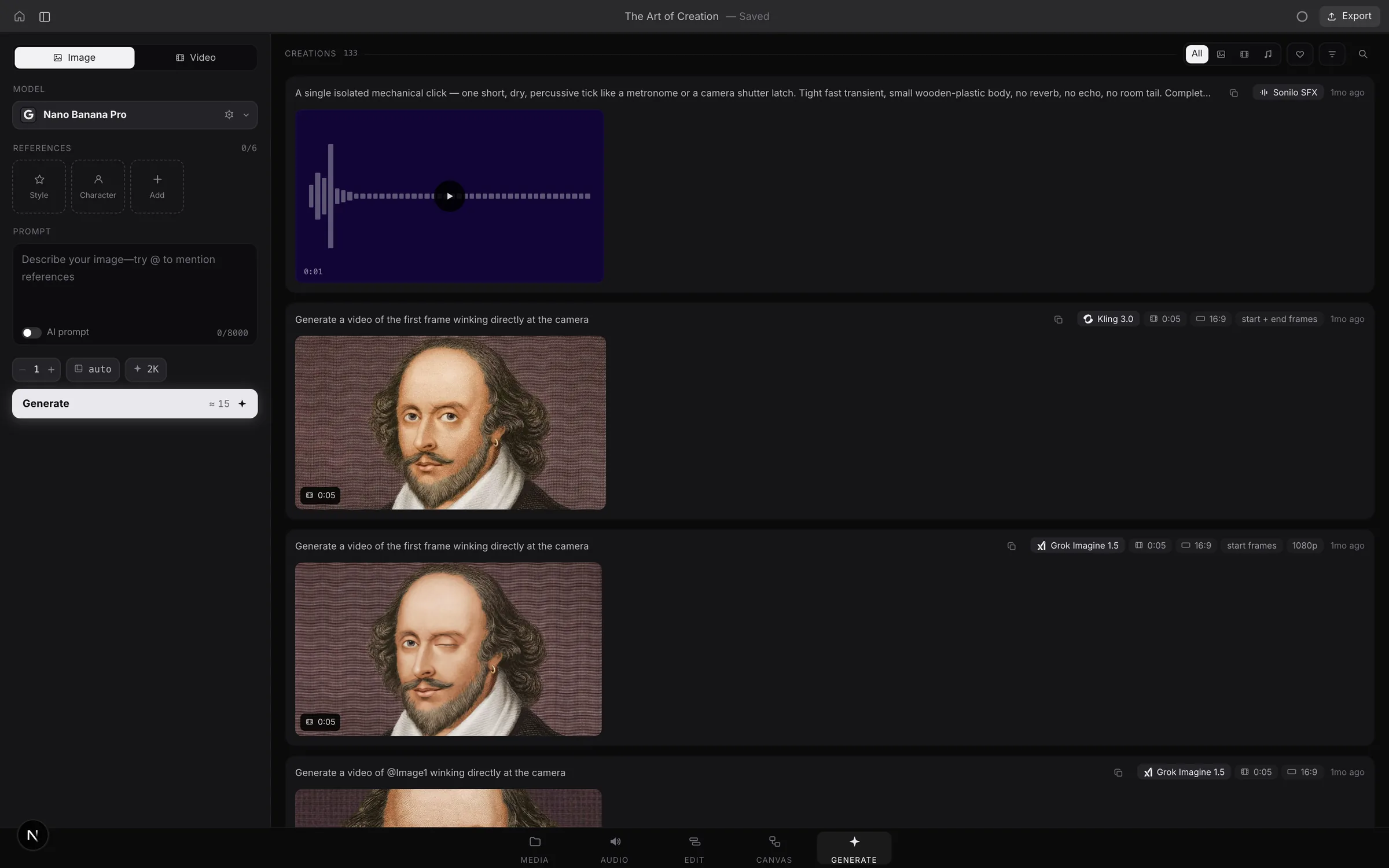
Final Cut is a beautiful place to assemble shots, but those shots have to come from somewhere. Tenet generates them, along with narration, music and sound effects, on 63 models, so a film can start and end on the same screen.
A canvas for what comes before the cut
Scripts, references, characters and every take sit on one endless board in Tenet. Wires connect a shot to its start frame, its reference and its words. It gives a generated film the same kind of order a good timeline gives a shoot.
The agent can direct a first pass
Say what you want to make and Tenet's agent asks a few questions, plans the film and waits for your approval. Then it creates character and location sheets, generates the shots, and lays them on the timeline with voice, music and effects mixed to level.
Apple's October 2026 announcement describes AI assistants for Logic Pro, Keynote, Pages and Numbers, and doesn't mention one for Final Cut.
Free to start
Tenet's editor is free, so there's no $299.99 outlay before your first project. A MacRumors piece from January 2026 notes that some premium content is reserved for Creator Studio subscribers rather than one-time buyers. In Tenet, the whole editor is free and credits you buy never expire.
When Final Cut Pro is the better fit
Stay with Final Cut Pro if you cut camera footage and want a mature editor with a one-time purchase, or if you need to work on an iPad. It's the more complete tool for traditional editing, and a ProRes 422 export from Tenet can always be finished there.
Questions about Tenet and Final Cut Pro
Can Tenet replace Final Cut Pro?
For making AI films, yes. If your days are spent cutting long-form camera footage, Final Cut has far more editing depth and you may prefer to keep it.
Do I need an Apple silicon Mac for Tenet?
Yes, an M1 or later, with macOS 13.3 Ventura or newer. Intel Macs aren't supported.
Can I use footage from my camera in Tenet?
Yes. Your own footage is part of the free editor, and you can mix it with generated shots on the same timeline.
Can I finish a Tenet film in Final Cut Pro?
Yes. Export your cut as ProRes 422 and bring it in as a master file.