
One app for Veo, Kling and Seedance
You shouldn't need three accounts, three credit balances and three browser tabs to compare three shots.
The short answer
Tenet, the AI film studio for Mac, runs Veo 3.1, Kling 3.0 Pro, Seedance 2.5 and 19 other video models from one app on one credit balance. There are no extra accounts or API keys. Each take keeps its prompt and settings, so you can rerun a shot on another model and cut the winner on the timeline.
Why use several video models at all?
Because models fail differently. A shot of hands assembling a watch may come out beautifully on one and turn to mush on another. A dialogue close-up may need a model that accepts an audio reference. If you've committed to a single subscription, you're stuck with whatever that model does badly.
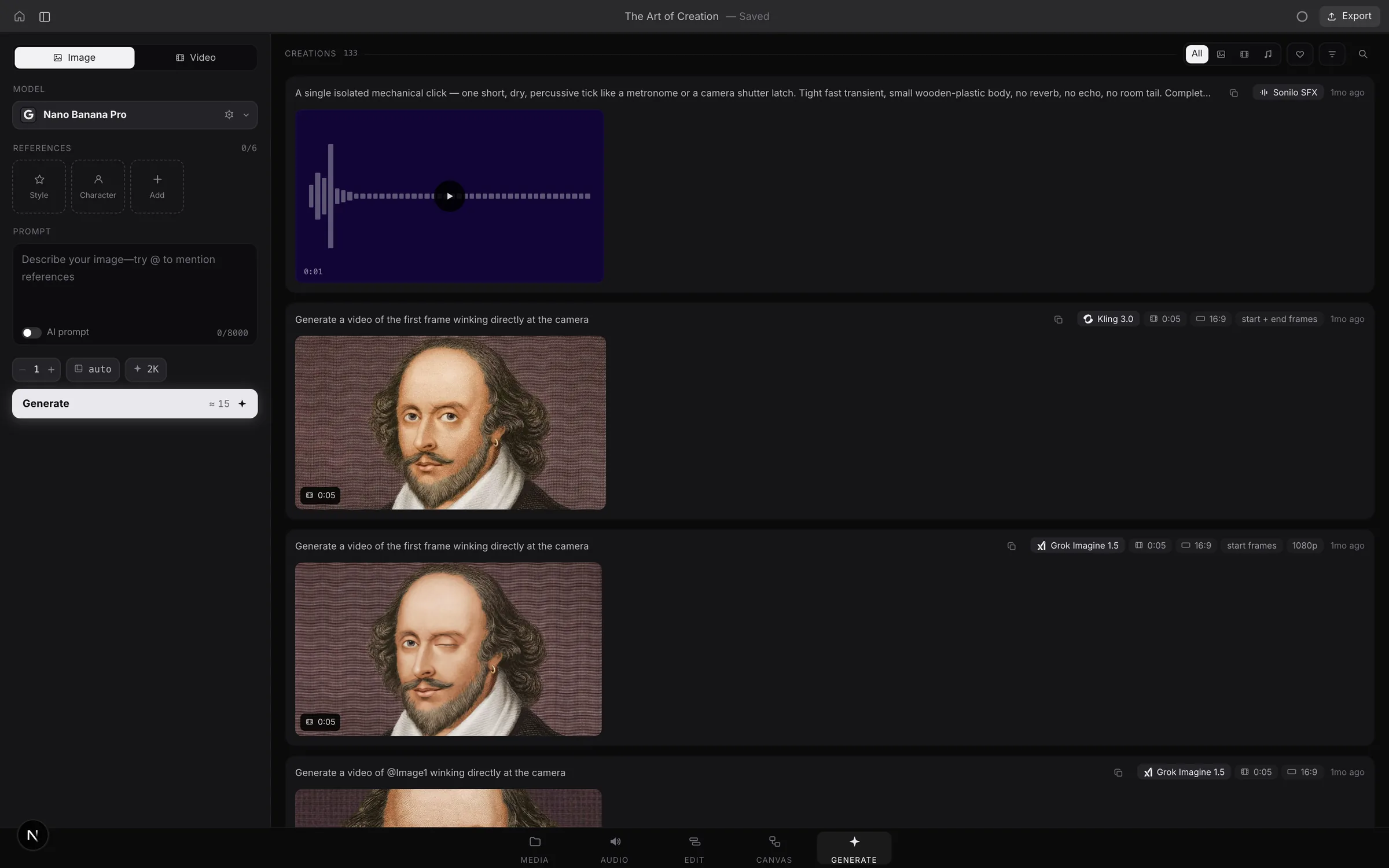
Tenet's own front page shows this in practice: real generations on Kling 3.0, Seedance 2.0, Seedance 2.5 and Grok Imagine 1.5, each beside the prompt that produced it.
Which models does Tenet include?
Veo 3.1, Veo 3.1 Fast and Veo 3.1 Lite for video, Nano Banana Pro for images, Lyria 2 for music.
ByteDance
Seedance 2.5, Seedance 2.0, Seedance 2.0 Fast and Mini, OmniHuman 2 and Seedream 5.0 Pro.
Kuaishou
Kling 3.0 Pro, Kling Avatar 2.0 and Kling Lipsync.
Others
Wan 3.0, MiniMax H3, Grok Imagine 1.5, GPT Image 2.5, FLUX Kontext Max, ElevenLabs v4 and Topaz Video upscale, among 63 in all.
How does one credit balance work?
One Tenet credit is worth one US cent. Every model draws on the same balance, so a month spent on images and voices leaves the credits ready for video the month after. An image on Nano Banana is about 6 credits, and a 5-second 720p clip on Seedance 2.5 is about 350.
The app shows the price before anything runs, and a job that fails costs nothing. Credits you don't use roll over and never expire. For prices across the market, see AI video credits that don't expire.
How do you pick the model for a shot?
Start cheap. Use a lighter tier such as Veo 3.1 Lite or Seedance 2.0 Mini to test framing and action. When the idea works, run it on the stronger model. Then compare the two takes on the board and keep both, since the less expensive one may be good enough for a shot that's on screen for two seconds.
Lock the opening frame first. Generate a still with an image model, then use it as the start frame. Your choice of video model then only has to deal with motion, which is the part that varies most between them.
Or leave the choice to the agent. Tell it what you want, and it can choose a model for each shot. In Ask mode, it checks with you before anything is generated.
What happens after the shot is generated?
This is where most multi-model services stop. You download a file and start hunting for an editor. In Tenet, each generation lands on your board as a card, and every take is kept with its prompt, model and settings. Drag it to the timeline, or have the agent place it, trim it and mix it.
Other services give you model choice in a browser, including Krea, OpenArt and Magnific. They're worth a look if you can't use a Mac. See the best all-in-one AI video platforms for the comparison.
Questions
Do I need my own Google or Kling account?
No. Tenet needs no extra accounts or keys. All the models draw on your Tenet credits.
Can I use the latest Seedance in Tenet?
Tenet lists Seedance 2.5, along with Seedance 2.0, 2.0 Fast and 2.0 Mini.
What does a Veo shot cost?
Prices vary by model, length and resolution. The app shows the exact price before each generation runs.
Can I commercially use the output?
You own what you make in Tenet, but each model's own terms apply to its output and some limit commercial use. Check the AI content policy.