
Tenet vs CapCut
CapCut is built for quick social edits. Tenet, the AI film studio for Mac, is built for the whole film: the plan, every generated shot, the voices, the score and the cut, in one project.
The short answer
If you're making a story with characters who need to stay the same from shot to shot, choose Tenet. It plans the film on a board, generates with 63 models, and cuts on a free timeline, with credits that never expire. CapCut suits fast social clips, especially for people editing on a phone or on Windows.
Tenet and CapCut, side by side
| Feature | Tenet | CapCut |
|---|---|---|
| Where it runs | Mac app (Apple silicon, macOS 13.3 or later). No browser or Windows version. | Desktop, online, tablet and mobile, per CapCut's pricing page. |
| Price | Free download and free editor. Plans at $47, $97 and $197 a month. Top-ups from $10. | Free tier. Pro is listed at $19.99 a month or $179.99 a year, and CapCut says prices are for reference and vary by region. |
| Models | 63 models from many makers, including Veo 3.1, Kling 3.0, Seedance 2.5, Nano Banana Pro, GPT Image 2.5 and ElevenLabs, on one credit balance. | Seedance 2.0, 2.0 Mini and 2.5, Veo 3.1, GPT Image 2, Nano Banana Pro and Seedream 5.0, among others. Kling isn't named on the pages we read. |
| Timeline editor | A real multi-track timeline: tracks, titles, captions, keyframes, color and sound. Exports H.264, H.265 and ProRes 422, up to 4K. | Multi-track timeline aimed at short-form and social video, with templates and effects. |
| Agent | Built in. It plans on the board, generates and edits the timeline. It asks before it spends, and anything it changes can be undone. | EditPilot, which CapCut says turns your direction into edits on the timeline. |
Details about CapCut were checked against its own pages on 2026-11-09 and can change. Sources: CapCut pricing, CapCut Standard vs Pro, EditPilot FAQ, Seedance 2.5 on CapCut PC, Trustpilot.
Why people choose Tenet over CapCut
A film needs a plan before it needs a template
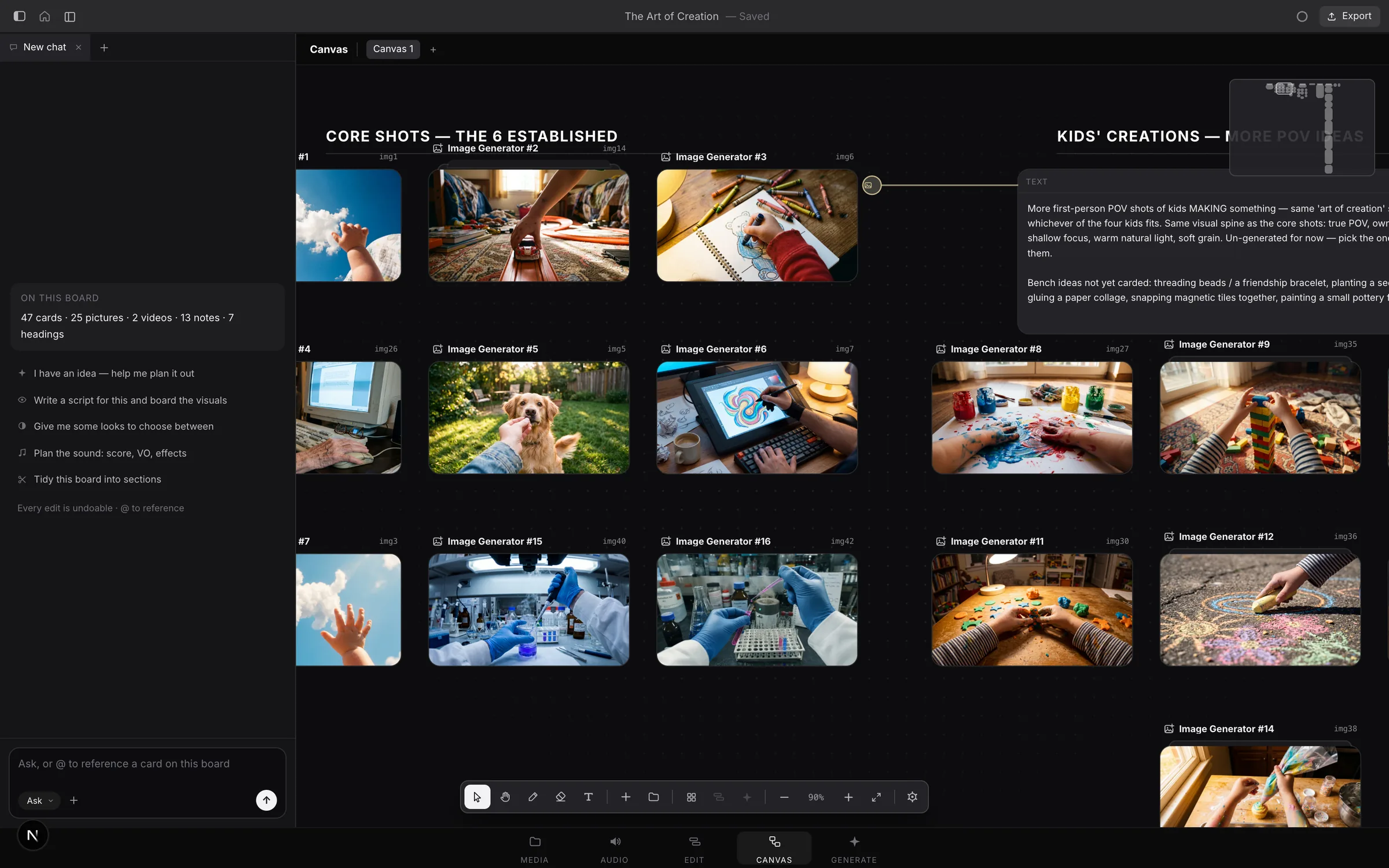
CapCut's strength is getting a clip out quickly. Tenet starts earlier. Its canvas holds the script, references, characters and shots side by side, wired together so each shot knows its start frame and its words.
When you ask the agent for a film, it asks a few questions, boards the whole thing, and waits for your approval before a single shot is generated.
Your characters are drawn before your shots
Faces that change between clips are the most common complaint about AI video. Tenet makes character and location sheets first, then builds each shot from them, so a recurring character is working from the same reference every time. That process is built into how the agent makes a film, which matters far more on a two-minute story than on a ten-second reel.
Credits you buy stay yours
Every Tenet plan adds credits to what you already have, and they never expire. A credit is a cent, the app shows the price before anything runs, and a job that fails costs nothing. Generation on CapCut is sold by credits billed per second on its paid plans, and Pro credit figures differ between CapCut's own regional pages, so check what you get in your country before you commit.
Every take keeps its receipts
In Tenet each generation lands on your board with its prompt, model and settings attached. When one shot is right, you can make it again or try the same prompt on Kling 3.0 instead of Seedance 2.5. Nothing ends up as an unnamed file in a downloads folder.
Support and billing are worth checking
CapCut had a 1.2 out of 5 rating on Trustpilot from 1,387 reviews in November 2026, and reviewers there report problems with cancelling and with credits. Those reviews are self-selected, so weigh them as such. With Tenet, plans cancel any time, top-ups are refundable within 14 days as far as they're unspent, and a person reads your email.
When CapCut is the better fit
Stay with CapCut if you edit on a phone or on Windows, since Tenet runs only on Apple silicon Macs. CapCut's free tier and its social templates are also a better match if your finished work is a short vertical clip built from footage you already shot.
Questions about Tenet and CapCut
Is Tenet a CapCut replacement for short-form video?
It can cut short-form video, and the timeline has titles, captions, keyframes and sound. It's designed around making a whole film, though, so if you mostly apply templates to phone footage, CapCut will feel more direct.
Does Tenet have Seedance and Veo like CapCut?
Yes. Tenet includes Seedance 2.5, Veo 3.1 and Kling 3.0 Pro among its 22 video models, all drawing on one credit balance.
Can I use Tenet on Windows or a phone?
No. Tenet needs a Mac with Apple silicon and macOS 13.3 Ventura or later. On a phone, the download button sends the link to your Mac.
Does Tenet's agent do what EditPilot does?
Both take instructions and change the timeline. Tenet's agent also works on the planning board and runs the generation, in three modes: Ask, which checks with you first, Plan, which spends nothing, and YOLO, which works on its own and still asks before deleting.
Is the Tenet editor really free?
Yes. The timeline, the canvas, effects, export and your own footage cost nothing. You pay only for generating and for the agent.