
The best AI video generators for filmmakers
Filmmakers don't need one winner. They need the right model for each shot, and a way to get that shot into a film.
The short answer
Filmmakers get the most from using several video models rather than one. Tenet, the AI film studio for Mac, offers 22 video models, including Veo 3.1, Kling 3.0 and Seedance 2.5, on one credit balance. Every take lands on a board with its prompt and goes straight to a timeline. Tenet is Mac only, so browser users should look at Runway or Higgsfield.
Why do filmmakers need more than one model?
Every model has its own temperament. One holds a tracking shot well, another is better with a face, another takes a stack of reference images. The landing page of any single generator will not tell you that. You find out by running the same prompt on two models and looking at the results side by side.
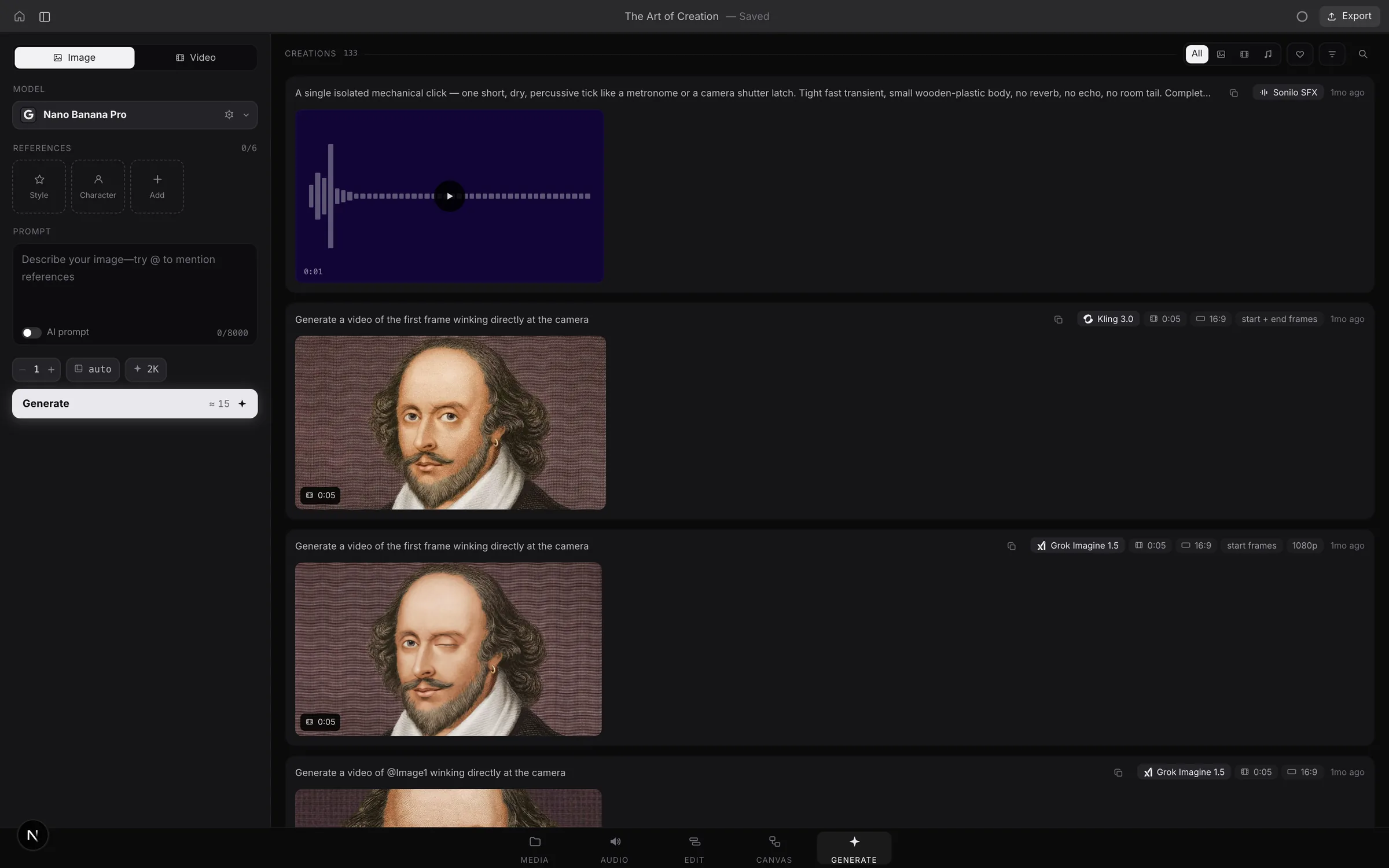
That's the case for a multi-model workspace. On Tenet's Generate page, you pick a model, describe the shot, drop in a start frame or a reference, and each result keeps its settings. Running a shot on Kling 3.0 and then on Grok Imagine 1.5 is a matter of a few clicks.
Which generators should filmmakers look at?
1. Tenet
Tenet, the AI film studio for Mac, is where we'd start, because the generators sit next to a real edit. Seedance 2.5, Kling 3.0 Pro, Veo 3.1, Wan 3.0, MiniMax H3 and Grok Imagine 1.5 are among 22 video models on one balance. Credits roll over and never expire.
2. Kling
Kuaishou's generator and workspace, with native audio and lip sync. Membership credits last one month and purchased credits two years. You can also run Kling inside Tenet. Tenet vs Kling.
3. Runway
Its own Gen-4.5 and Aleph 2.0 models, with Kling and Seedance available too. Web and mobile apps. Tenet vs Runway.
4. Dreamina
ByteDance's web generator built around Seedance 2.5, with 30-second clips and up to 50 references. Basic is $15 a month. Tenet vs Dreamina.
5. Luma
An agent-first web product with its own Ray models and outside models such as Kling and Veo. Monthly credits expire at the end of the cycle. Tenet vs Luma.
6. PixVerse
A generator aimed at social creators, with web and mobile apps and a low entry price of $10 a month. Membership credits expire at the next cycle. Tenet vs PixVerse.
7. Hailuo
MiniMax's own video creator. Tenet includes MiniMax H3 and H3 Max if you want that family without a separate account. Tenet vs Hailuo.
What makes a generator good for film rather than social clips?
Control matters more than novelty. Look for start and end frames, so you can decide where a shot begins and lands. Look for reference images, so the same person turns up in shot twelve as in shot one. Look for a way to change a shot you already have, rather than starting over.
Also watch for audio. Several current models generate sound with the picture, which is great for a single clip and awkward for a scene, because each take brings its own music and room. If you plan to score the film yourself, generate those shots without their own sound.
How do you write prompts that a model can follow?
Describe what the camera sees, in order. State where the shot starts, what moves, what stays still, and how it ends. Tell the model the things it must not do: no cut, no zoom, no new people. Then name the look in concrete words, such as lens, light and film grain.
On Tenet's front page you can read real prompts beside the shots they made, typos included. Some are one line. One runs to several paragraphs with timings for each second. Both work, because the short ones start from a strong still frame that already carries most of the information.
How do you avoid paying for five subscriptions?
Most people don't need a monthly plan on every generator. They need access when a shot calls for it. In Tenet all the models draw on the same credits, with no extra accounts or keys, and you see the price before anything runs. See one app for Veo, Kling and Seedance for how that works in practice.
Questions
What is the best AI video model for filmmaking?
It depends on the shot, which is why we suggest trying more than one. Tenet lets you run the same prompt on several video models and keep every take on the board.
Can I use Veo and Kling in the same app?
Yes. Tenet includes Veo 3.1 and Kling 3.0 Pro on one credit balance, along with Seedance, Wan, MiniMax and others.
Who owns the video I generate?
In Tenet you keep ownership of what you generate. Each model's own terms apply to its output, and some limit commercial use.
Are the generators in Tenet the real models?
Yes. The app names the model behind each take, and the result keeps its model and settings.