
Image model · Google
Nano Banana Pro on your Mac
Nano Banana Pro is Google's top image model, known officially as Gemini 3 Pro Image. In Tenet, the AI film studio for Mac, it's the model most people reach for when a character has to look the same in every shot.
The short answer
Yes, you can use Nano Banana Pro on a Mac. It's in Tenet's model menu with Nano Banana 2.1 and the original Nano Banana, on one credit balance and with no Google account or API key. It takes up to 10 reference pictures, renders at 1K, 2K or 4K, and the frames it makes go straight onto your board and into your film.
Nano Banana Pro in Tenet
| Made by | Google (Gemini 3 Pro Image) |
|---|---|
| Versions in Tenet | Nano Banana Pro, Nano Banana 2.1, Nano Banana |
| Works from | A prompt, or a prompt plus up to 10 reference images (Pro and 2.1) |
| Output size | 1K, 2K or 4K (Pro and 2.1) |
| Frame shapes | 21:9, 16:9, 3:2, 4:3, 5:4, 1:1, 4:5, 3:4, 2:3, 9:16 |
| Pays with | Tenet credits. A credit is a cent, and the app shows an estimate before you generate |
What Nano Banana Pro is good at
Keeping a character the same
Give it a face, a costume and a pose, and it holds them. That makes it the natural tool for a character sheet: front, side and back views of one person that every later shot can point back to.
Editing by instruction
Ask it to change the time of day, swap a jacket or move the camera lower, and it edits the picture you already have instead of starting over. Small fixes stay small.
Combining several pictures
With up to 10 references in Tenet, you can put a character from one image into a location from another, wearing the outfit from a third. Google built the Nano Banana line around exactly this kind of blending.
Big, clean frames
At 4K the frame holds up as a start image for a video model, a poster or a title card. Google also credits the Pro model with clearer text inside images than earlier Gemini models.
How to use Nano Banana Pro in Tenet
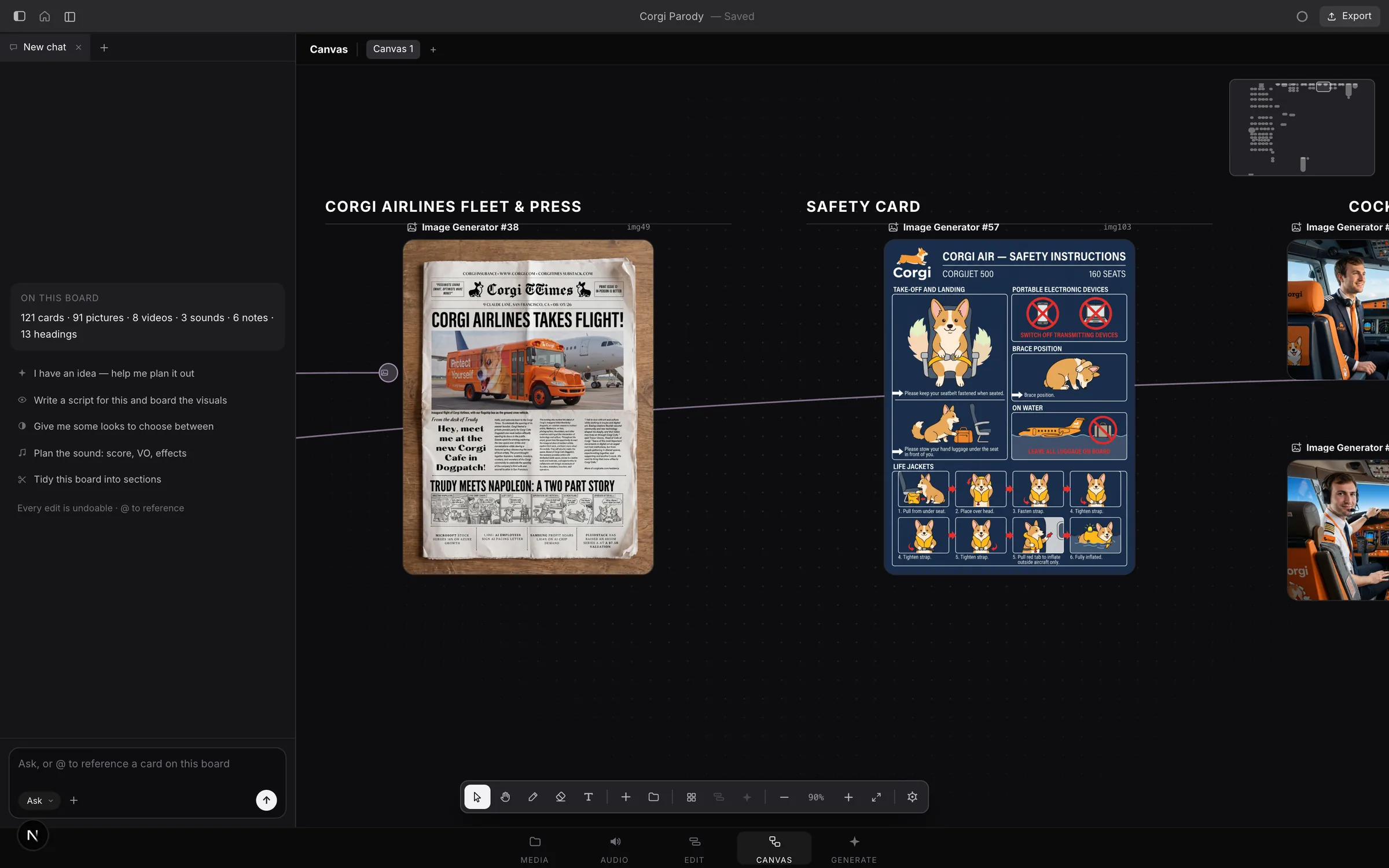
Open a project and pick Nano Banana Pro in the model menu, or leave the choice to the agent. Write what you want, wire in any reference pictures from the board, choose the shape and the size, and press Generate. The price estimate sits next to the button before you press it.
Every result lands on your board with its prompt, model and settings attached, so you can find the exact take that worked a week later. Run the same prompt on Nano Banana 2.1 or GPT Image 2.5 and the takes sit side by side in one feed.
From there a frame can become a shot. Wire it into a video card as the start frame for Kling 3.0 Pro or Seedance 2.5, and the character you designed is the character that moves. Ask the agent to do this for a whole scene and it draws the sheets, generates the shots and lays them on the timeline, checking with you before it spends.
Getting good results from Nano Banana Pro
Make the sheet first
Generate one clean character sheet on a plain background before any scene. Use it as a reference everywhere after that. A strong first reference does more for consistency than a long prompt.
Describe the change, not the whole picture
When editing, say what should be different: "same woman, now at night, rain on the window". Restating everything invites the model to redraw things you liked.
Pick the size for the job
2K is plenty for board work and start frames. Save 4K for frames that will be seen large, like a poster, a title card or a hero shot you plan to upscale.
Use 2.1 for quick passes
Nano Banana 2.1 takes the same references and sizes as Pro and is the faster pick for a run of variations. Move to Pro for the frame you'll keep.
When another model is the better pick
For posters and anything where long lines of text must be exact, try GPT Image 2.5 or Ideogram 4.5 as well, and keep the better take. For a highly realistic single frame with fine skin and material detail, Seedream 5.0 Pro is worth a run.
And if the frame is a means to an end, a start frame for a moving shot, the choice of video model matters more than the image model. See Kling 3.0 Pro and Seedance 2.5.
Questions about Nano Banana Pro
Is Nano Banana Pro free?
Downloading Tenet and using the editor are free. Generating with Nano Banana Pro uses credits: a credit is a cent, top-ups start at $10, and plans from $47 a month add credits that never expire.
Do I need a Google account to use Nano Banana Pro in Tenet?
No. Every model in Tenet runs on Tenet credits, so there's no Google account, Gemini subscription or API key to set up.
What is the difference between Nano Banana Pro and Nano Banana 2.1?
Both take up to 10 references and render at 1K, 2K or 4K in Tenet. Pro is Google's top-quality model; 2.1 is the faster, lighter one, good for runs of variations.
Can I use Nano Banana Pro images commercially?
You own what you generate in Tenet, and each model's own terms apply to its output. Check Google's terms for your use, and see Tenet's AI content policy.
Does Nano Banana Pro make videos?
No, it makes still images. In Tenet you use its frames as start frames or references for a video model like Kling 3.0 Pro, Seedance 2.5 or Wan 3.0.
The specs above are what Tenet offers, checked against the app on 2026-11-12. Background on Nano Banana Pro comes from Google and the press, and can change: Google AI Studio: Nano Banana 2.1, Google: Gemini image generation docs.