
Tenet vs Adobe Premiere
Adobe Premiere, which many people still call Premiere Pro, is the established editor for professional teams. Tenet, the AI film studio for Mac, is built around generating the film and cutting it in the same place, with no subscription needed to edit.
The short answer
Choose Tenet if you make AI-driven films on a Mac and want planning, 63 models and editing together, with a free editor and credits that never expire. Choose Adobe Premiere if your work depends on Creative Cloud and Frame.io. Tenet can also feed Premiere: generate and cut there, then export ProRes 422.
Tenet and Adobe Premiere, side by side
| Feature | Tenet | Adobe Premiere |
|---|---|---|
| Where it runs | Mac app (Apple silicon, macOS 13.3 or later). No browser or Windows version. | Desktop app, plus a free iPhone and Android app. |
| Price | Free download and free editor. Plans at $47, $97 and $197 a month. Top-ups from $10. | $22.99 a month on an annual plan, with no perpetual license. Creative Cloud Pro is $69.99 a month. |
| Unused credits | Roll over month to month and never expire. | Firefly plan credits reset each billing cycle and don't roll over. |
| Models | 63 models from many makers, including Veo 3.1, Kling 3.0, Seedance 2.5, Nano Banana Pro, GPT Image 2.5 and ElevenLabs, on one credit balance. | Generative Extend and video and sound generation from the timeline. Firefly offers partner models including Kling 3.0, Veo 3.1, Runway Gen-4.5 and Luma Ray3.14. |
| Timeline editor | A real multi-track timeline: tracks, titles, captions, keyframes, color and sound. Exports H.264, H.265 and ProRes 422, up to 4K. | Professional editing with Text-Based Editing, Object Mask and Frame.io review. |
| Agent | Built in. It plans on the board, generates and edits the timeline. It asks before it spends, and anything it changes can be undone. | AI Assistant, in public beta as of June 2026, sorts bins, renames clips, adds markers and assembles a starting point. |
Details about Adobe Premiere were checked against its own pages on 2026-11-09 and can change. Sources: Adobe Premiere, Creative Cloud plans, Firefly plans, Adobe AI Assistant announcement, Adobe Community.
Why people choose Tenet over Adobe Premiere
Edit without a monthly subscription
Premiere has no free desktop edition and no perpetual license. Tenet's timeline, canvas, effects and export are free, with your own footage or anything you've generated. Payment only begins when you want more generation or agent work.
Credits that outlast the billing month
Adobe's Firefly plan page says credits reset each billing cycle and don't roll over. In Tenet, each paid period adds credits to whatever's left, and nothing is taken away at renewal. If you make one film every few months, that difference adds up.
Made for AI production from day one
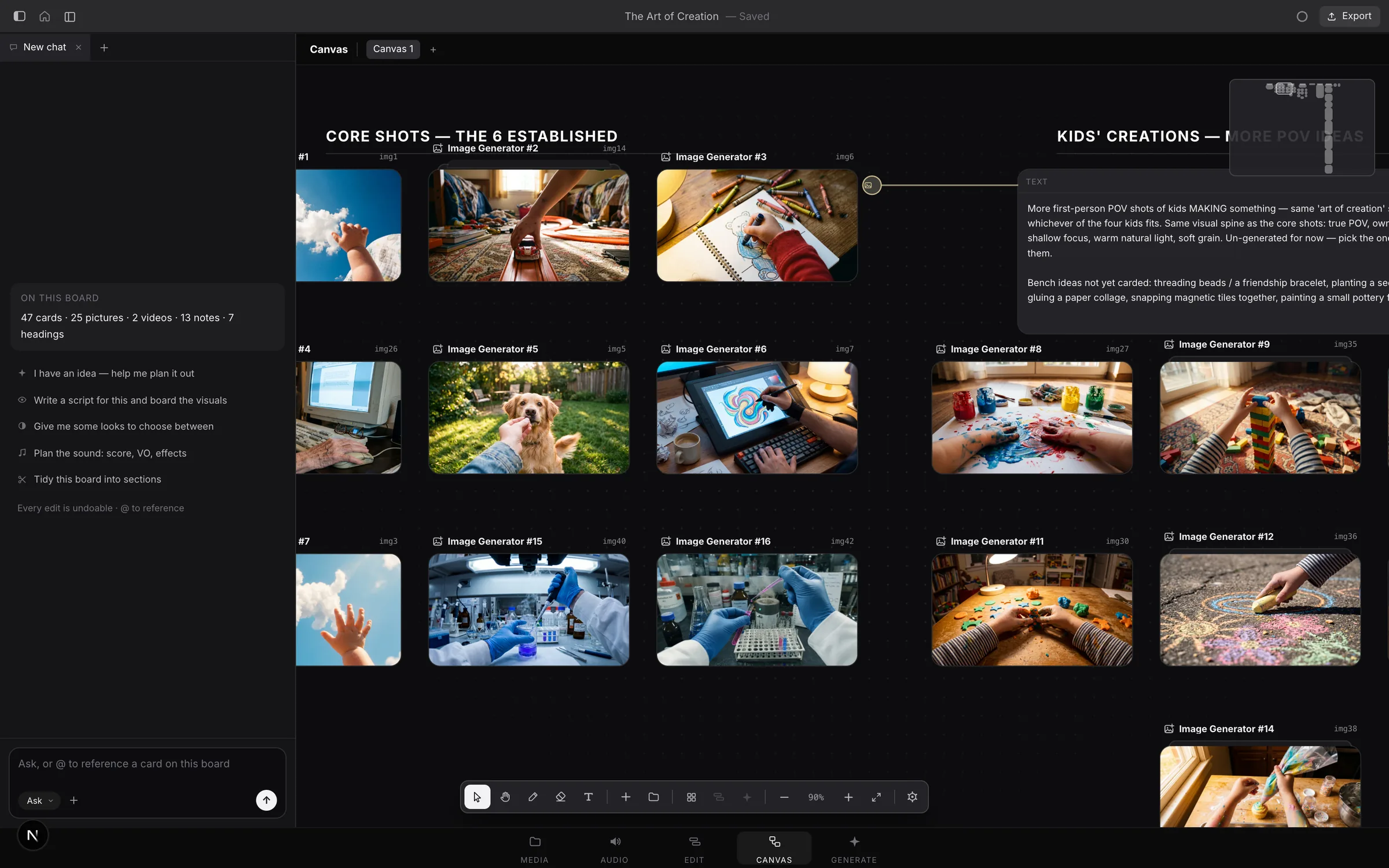
Adobe has added generation to a mature editor, and it's a serious effort. Tenet was organized around generation, so a canvas holds your characters, script and references, each wired to the shots made from them.
The agent can then go from a single request to a board, a set of approved shots and an assembled timeline, mixing voice, music and sound effects as it goes.
One view of every take
Every generation in Tenet appears on your board with its prompt, model and settings, and every take is kept. You can compare the same prompt on Grok Imagine 1.5 and Kling 3.0 side by side, then drag the better one to the timeline.
When Adobe Premiere is the better fit
Adobe Premiere is the better choice for teams built around Creative Cloud, Frame.io review and shared project workflows, and for professional editing depth that Tenet doesn't aim to match. It also has a wider range of finishing tools, so a good route for some projects is to generate and cut in Tenet, then export ProRes 422 to finish in Premiere.
Questions about Tenet and Adobe Premiere
Is Tenet a replacement for Premiere Pro?
For AI-first short films, it can be. For broadcast workflows and large editorial teams, Premiere has much more depth. Plenty of filmmakers can use Tenet to generate and cut, and a finishing tool afterward.
Does Premiere have the same AI models as Tenet?
Adobe names partner models such as Kling 3.0 and Veo 3.1 in Firefly. Which of these run inside Premiere itself wasn't clear from the pages we could read. Tenet's 63 models all run inside the app on one balance.
How does Tenet's agent compare with Premiere's AI Assistant?
Adobe's assistant, in public beta, helps with tasks in the Project panel and on the timeline. Tenet's agent also plans the film on the canvas and carries out generation, with checkpoints for your approval.
Can I bring Tenet projects into Premiere?
You can export your film as H.264, H.265 or ProRes 422 up to 4K, and bring that file into Premiere.
Does Tenet run on Windows?
No. It's a Mac app for Apple silicon, running macOS 13.3 Ventura or later.