
Tenet vs Adobe Firefly
Adobe Firefly brings generation to Creative Cloud users, with a video editor still in beta. Tenet, the AI film studio for Mac, gives you the board, the models, the timeline and an agent in one finished workflow.
The short answer
Choose Tenet if you're making films on a Mac and want a free timeline, a planning board, 63 models and credits that never expire. Choose Adobe Firefly if you already live in Creative Cloud, want to work on the web, or value Adobe's commercial positioning and its own Firefly Video Model.
Tenet and Adobe Firefly, side by side
| Feature | Tenet | Adobe Firefly |
|---|---|---|
| Where it runs | Mac app (Apple silicon, macOS 13.3 or later). No browser or Windows version. | Web, with the video editor in beta as of October 2026. |
| Price | Free download and free editor. Plans at $47, $97 and $197 a month. Top-ups from $10. | Standard $9.99, Pro $19.99, Pro Plus $49.99 and Premium $199.99 a month. |
| Unused credits | Roll over month to month and never expire. | Reset each billing cycle and don't roll over. |
| Models | 63 models from many makers, including Veo 3.1, Kling 3.0, Seedance 2.5, Nano Banana Pro, GPT Image 2.5 and ElevenLabs, on one credit balance. | Adobe's own Firefly models plus partners, including Kling 3.0, Veo 3.1, Runway Gen-4.5 and Luma Ray3.14. |
| Timeline editor | A real multi-track timeline: tracks, titles, captions, keyframes, color and sound. Exports H.264, H.265 and ProRes 422, up to 4K. | A multi-track video editor on the web, in beta. |
| Agent | Built in. It plans on the board, generates and edits the timeline. It asks before it spends, and anything it changes can be undone. | Firefly AI Assistant, in public beta since April 2026. |
| Voice, music, sound | Voices, music and sound effects generated in the app and mixed on the timeline. | Speech, sound effects and music. |
Details about Adobe Firefly were checked against its own pages on 2026-11-09 and can change. Sources: Firefly plans, Firefly Video Editor, Firefly AI Assistant beta, Adobe partner models.
Why people choose Tenet over Adobe Firefly
Credits that wait for your next film
Adobe's plan page says Firefly credits reset each billing cycle and don't roll over. Tenet's credits never expire, whichever way you buy them. A film can take months to come together, and your balance shouldn't be shrinking while you write.
A timeline you can use for a whole film today
Firefly's video editor is labeled beta in Adobe's help pages, updated in October 2026. Tenet's timeline has tracks, titles, captions, keyframes, color and sound, it's free, and exports reach 4K in H.264, H.265 or ProRes 422.
Your plan and your cut stay connected
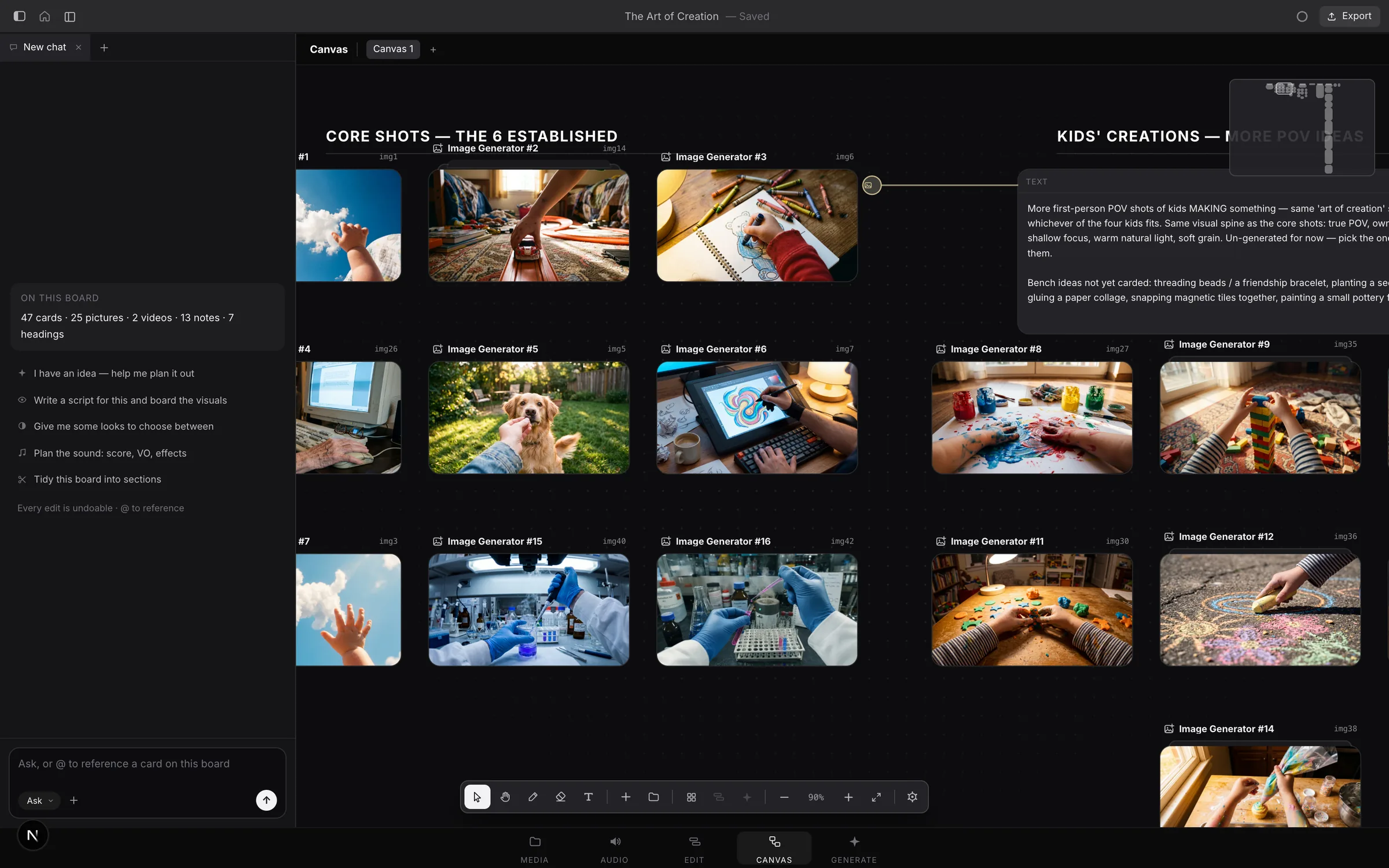
Tenet's canvas holds the script, references and characters, and links them to the shots they make. A shot made on the board is already in the edit.
That connection means the agent can see both, so a request like changing the score after the midpoint is handled in context.
You choose how much the agent decides
Tenet's Ask mode checks before anything generates, Plan mode writes up an approach and spends nothing, and YOLO generates and edits on its own, stopping only to ask before deletions. Whatever it does can be undone.
When Adobe Firefly is the better fit
Firefly is the better choice if you need Adobe's Creative Cloud integrations or its commercial positioning for brand work, or if you work on the web or a non-Mac computer. Adobe's Premium plan also includes unlimited use of its own Firefly Video Model, which heavy users may value.
Questions about Tenet and Adobe Firefly
Is Firefly's video editor finished?
Adobe's help pages described it as beta as of 28 October 2026, so check for updates before you decide.
Can I use Kling and Veo in both?
Yes. Adobe names Kling 3.0 and Veo 3.1 as Firefly partner models, and Tenet includes Kling 3.0 Pro and Veo 3.1 among its 22 video models.
Do unused Tenet credits ever expire?
No. They roll over month to month and never expire.
Do I need Creative Cloud for Tenet?
No. You download the Mac app and sign in. The editor is free.