
Image model · Ideogram
Ideogram 4.5 on your Mac
Ideogram made its name on images with words in them. In Tenet, the AI film studio for Mac, Ideogram 4.5 and Ideogram V3 are the models for the parts of a film that are lettering: the title, the poster, the banner over the shop.
The short answer
Yes, Ideogram runs on a Mac in Tenet, with no Ideogram account. Ideogram 4.5 makes and edits images at 1K or 2K, takes up to 5 references and has eleven frame shapes, including 2:1 and 1:2. Ideogram V3 edits from 1 reference in nine shapes. Both are paid for with Tenet credits.
Ideogram 4.5 in Tenet
| Made by | Ideogram |
|---|---|
| Versions in Tenet | Ideogram 4.5, Ideogram V3 |
| Works from | A prompt, or a prompt plus references: up to 5 (4.5) or 1 (V3) |
| Output size | 1K or 2K (4.5) |
| Frame shapes | 4.5: 1:1, 16:9, 9:16, 4:3, 3:4, 4:5, 5:4, 3:2, 2:3, 2:1, 1:2. V3: 16:9, 3:2, 4:3, 5:4, 1:1, 4:5, 3:4, 2:3, 9:16 |
| Pays with | Tenet credits. A credit is a cent, with the estimate next to Generate |
What Ideogram 4.5 is good at
Lettering as design
Ideogram has made strong text rendering a selling point since 3.0, released in March 2025. It treats words as part of the image, so a title can be carved, neon, hand-painted or stamped and still spell what you asked.
Edits that stay put
Press coverage of Ideogram 4.5, released in September 2026, highlights multi-turn editing where each round changes only what you ask for, at native 2K. You can move a credit line, then recolor the title, then swap the tagline without the rest drifting.
Poster and banner shapes
4.5 adds 2:1 and 1:2 to the usual shapes. 1:2 is a tall one-sheet poster, and 2:1 is a wide banner, a storefront sign or a marquee.
Style from a picture
Ideogram introduced style references with 3.0 so a new image can borrow the look of an existing one. In Tenet, 4.5 takes up to 5 references, enough to carry a poster style across a whole set of one-sheets.
How to use Ideogram 4.5 in Tenet
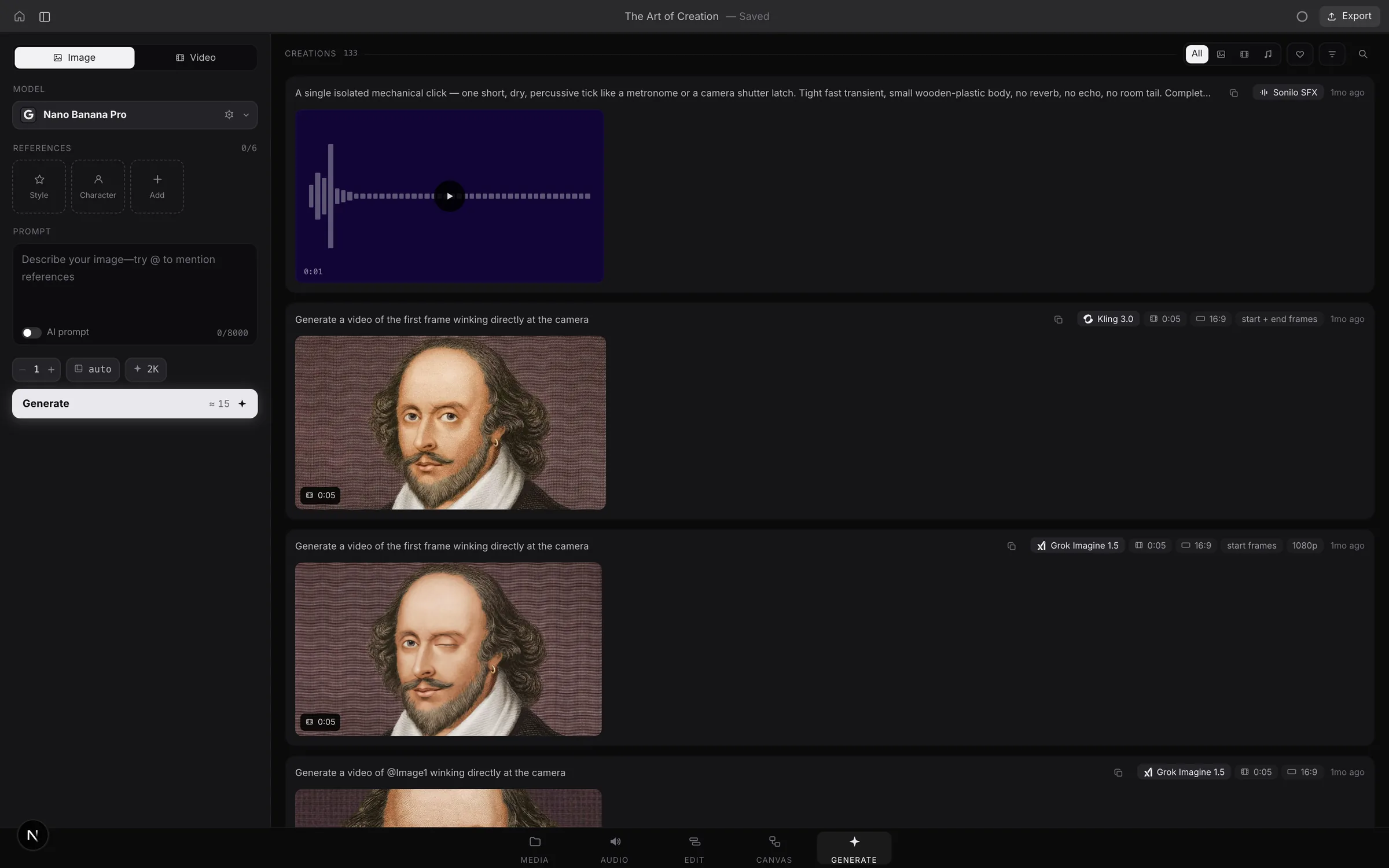
Choose Ideogram 4.5 in the model menu. Pick a shape that matches the job: 1:2 for a poster, 2:1 for a banner, 16:9 for a title card that goes straight onto the timeline. Write the words in quotes, then describe the lettering style and what sits behind it. Choose 2K for anything that will be seen full screen.
To keep a series consistent, wire your first good poster into the next request as a reference, along with up to four more images like the lead actor's portrait or the color palette. Ideogram V3 also edits, from a single reference, and works well for one-off restyles.
When a title card is right, place it on the timeline under a fade, or use it as the end frame of a sequence. The agent can help too: ask it in Ask mode to make a title, three alternate posters and a closing card for your short, and it checks with you before spending credits.
Getting good results from Ideogram 4.5
Name the lettering
Words like "condensed sans serif", "brush script", "chrome 80s logo" or "art deco caps" steer the type far more than "cool font". Say where the text sits too: top third, centered, along the bottom edge.
Fix one detail per turn
With 4.5, edit in small rounds. Change the subtitle, check it, then change the color. Each pass is meant to leave the rest alone, so small steps keep the poster intact.
Design a vertical cut
Make a 1:2 poster for the festival listing and a 9:16 version for social at the same time, from the same reference. You'll have matching art for every place the film shows up.
Let titles breathe
For a title card that sits on screen for several seconds, ask for plenty of empty background around the words. Busy art behind lettering is hard to read in motion.
When another model is the better pick
For text that's a prop inside a scene, like a newspaper or an instruction leaflet held by a character, try GPT Image 2.5. For clean flat graphics, a logo or a fictional brand's packaging, Recraft V4 is a strong alternative.
For the frames between the titles, a character in a place, pick an image model built for people, such as Nano Banana Pro, or a realistic one like Seedream 5.0 Pro.
Questions about Ideogram 4.5
What's new in Ideogram 4.5?
According to press coverage of its September 2026 release, Ideogram 4.5 brings multi-turn editing, where each edit changes only what you asked for, at native 2K. In Tenet it takes up to 5 references and adds the 2:1 and 1:2 shapes.
Ideogram 4.5 vs Ideogram V3: which should I use?
Use 4.5 for posters and titles you'll refine over several edits, for 2K output, or for the 2:1 and 1:2 shapes. V3 edits from one reference in nine shapes and is fine for single restyles.
Is Ideogram free in Tenet?
The Tenet download and editor are free. Generating with Ideogram uses credits: a credit is a cent, top-ups start at $10, and plans from $47 a month add credits that roll over.
Do I need an Ideogram subscription?
No. Ideogram runs on Tenet credits with no separate Ideogram account or API key. The same balance pays for video, voice and music.
Can I use Ideogram posters commercially?
You own what you generate in Tenet, and each model's own terms apply to its output. Check Ideogram's terms for your use and Tenet's AI content policy.
The specs above are what Tenet offers, checked against the app on 2026-11-12. Background on Ideogram 4.5 comes from Ideogram and the press, and can change: Ideogram: Ideogram 3.0, AlternativeTo: Ideogram 4.5 multi-turn editing.