
Tenet vs Synthesia
Synthesia helps large organizations produce training videos with avatars. Tenet, the AI film studio for Mac, serves a different ambition: films, ads and stories where every shot is designed.
The short answer
Tenet is the right choice when you want cinematic video with generated scenes, music and a real edit, all in a Mac app. Synthesia is the right choice for compliant enterprise training with avatars in many languages. If your video is meant to move an audience rather than onboard staff, choose Tenet.
Tenet and Synthesia, side by side
| Feature | Tenet | Synthesia |
|---|---|---|
| Price | Free download and free editor. Plans at $47, $97 and $197 a month. Top-ups from $10. | Basic is free. Starter $19 ($14 on annual billing), Pro $89 ($59 on annual billing), Enterprise custom. |
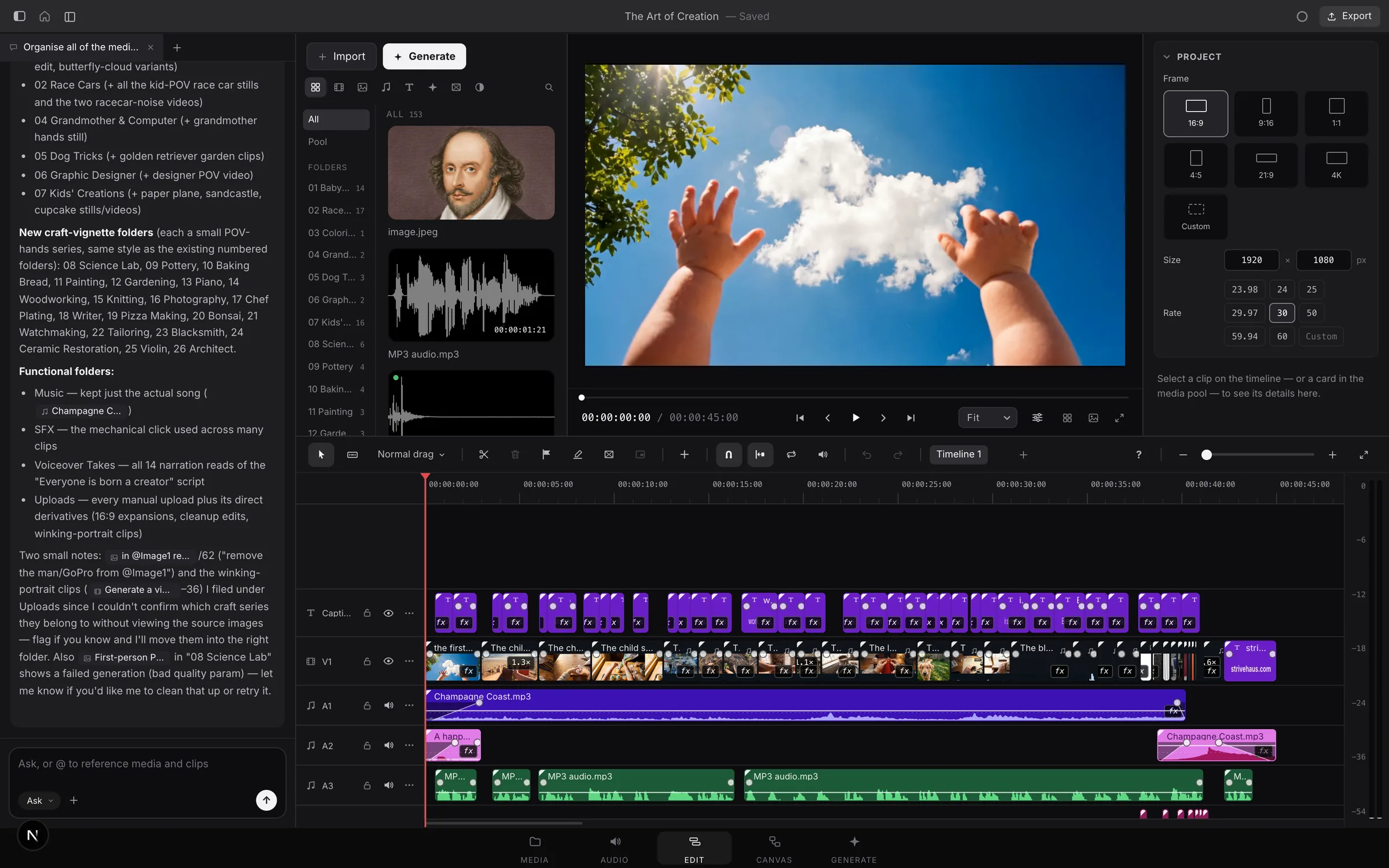
| Timeline editor | A real multi-track timeline: tracks, titles, captions, keyframes, color and sound. Exports H.264, H.265 and ProRes 422, up to 4K. | A per-scene layer timeline. |
| Agent | Built in. It plans on the board, generates and edits the timeline. It asks before it spends, and anything it changes can be undone. | Syren, with about 2 videos a month on Starter and 7 on Pro. |
| Voice, music, sound | Voices, music and sound effects generated in the app and mixed on the timeline. | More than 140 languages, voice cloning and royalty-free tracks. Its pricing page doesn't list sound effects. |
Details about Synthesia were checked against its own pages on 2026-11-09 and can change. Sources: Synthesia pricing, Synthesia timeline help.
Why people choose Tenet over Synthesia
Timing across the whole piece
Synthesia's timeline works within a scene, which suits slide-style modules. Tenet's timeline runs across your whole film, so a score can swell over three shots and a title can land on a beat.
Every frame generated to your brief
Instead of a presenter in front of a background, Tenet generates the world: Veo 3.1, Kling 3.0 Pro, Seedance 2.5 and many others for motion, Nano Banana Pro and GPT Image 2.5 for stills.
An agent without a monthly video count
Synthesia's Syren comes with about 2 videos a month on Starter and 7 on Pro. Tenet's agent runs on your credits, at about 27 credits for a typical message, so usage follows what you actually need.
Mix music and effects like a film
A training video can get away with a quiet bed. A film needs a score that moves, effects at the right moments, and voices that sit on top. Tenet's agent can generate those and mix them to level on the timeline.
When Synthesia is the better fit
For enterprise learning teams who need governance, a consistent presenter and more than 140 languages, Synthesia is the specialist. Tenet doesn't try to be a corporate training platform, and it needs a Mac with Apple silicon.
Questions about Tenet and Synthesia
Is Tenet a Synthesia replacement for training videos?
For large-scale corporate training with many languages, Synthesia is the specialist. Tenet is better for brand films, ads, and storytelling.
Can Tenet use an AI presenter?
Yes. It includes avatar models such as Kling Avatar 2.0 and OmniHuman 2, plus lipsync tools, and you can cut presenter shots together with generated scenes.
How is Tenet priced compared with Synthesia?
Tenet's editor is free, and plans run $47, $97 and $197 a month. A credit is a cent, and credits never expire. Synthesia's plans run from free to $89 a month, with Enterprise on request.
Can Tenet add captions?
Yes. The timeline supports captions alongside titles, keyframes, color and sound.