
AI lip sync and talking characters for film
Dialogue is where AI film still gets found out. With the right method for the right shot, you can get a character to deliver a line without the uncanny drift.
The short answer
For AI dialogue, use a lip sync model to fit a voice to existing video, a talking-character model to animate a still, or a video model that accepts an audio reference. Tenet, the AI film studio for Mac, offers all three, including Sync Lipsync 3, Kling Avatar 2.0, OmniHuman 2 and Seedance 2.5, and it puts the voice and picture on one timeline.
What are the three ways to make a character talk?
Lip sync an existing clip
You already have the shot, and the mouth gets reshaped to match new audio. Tenet includes Sync Lipsync 3, Kling Lipsync, PixVerse Lipsync, Lipsync Lite and LatentSync.
Animate a still with a voice
You supply a portrait and a voice, and the model generates a talking performance. Kling Avatar 2.0, OmniHuman 2, InfiniteTalk, Fabric 1.0 and Wan 2.2 Speech to Video do this.
Generate video with an audio reference
The Seedance 2 family and Wan 3.0 can read an audio reference along with images, so the performance is generated with the line in mind.
Which method should you use for which shot?
For a head-and-shoulders close-up with a long line, a talking-character model is usually the most stable. For a shot where the character is moving or there's action around them, generating video with an audio reference tends to keep the body and the words together. For fixing or replacing a line on a shot you already like, lip sync is the natural choice.
Test on a short line first. Try the same five seconds on two models and judge the mouth, the eyes, and whether the head moves like someone speaking.
Why does lip sync drift?
Timing tends to slip as lines get longer, and fast or mumbled speech gives a model less to work with. Faces turned away, hands near the mouth and low light make it harder too.
The practical fixes are simple. Keep lines short and cut between them. Generate one line per shot, then assemble the conversation on the timeline. Make sure the face is well lit and facing the camera in the start frame. Cut away to a listener during the hardest parts, the same trick editors have always used.
How do you get a good voice performance?
Write lines the way people talk. Short sentences, contractions, a pause in the right place. Pick one voice per character and keep it. ElevenLabs v4 is included in Tenet, and you can import your own recording too, which is often the strongest option for a lead role.
Direction matters. If a line lands flat, change the words or the punctuation before changing the model.
How does this work inside Tenet?
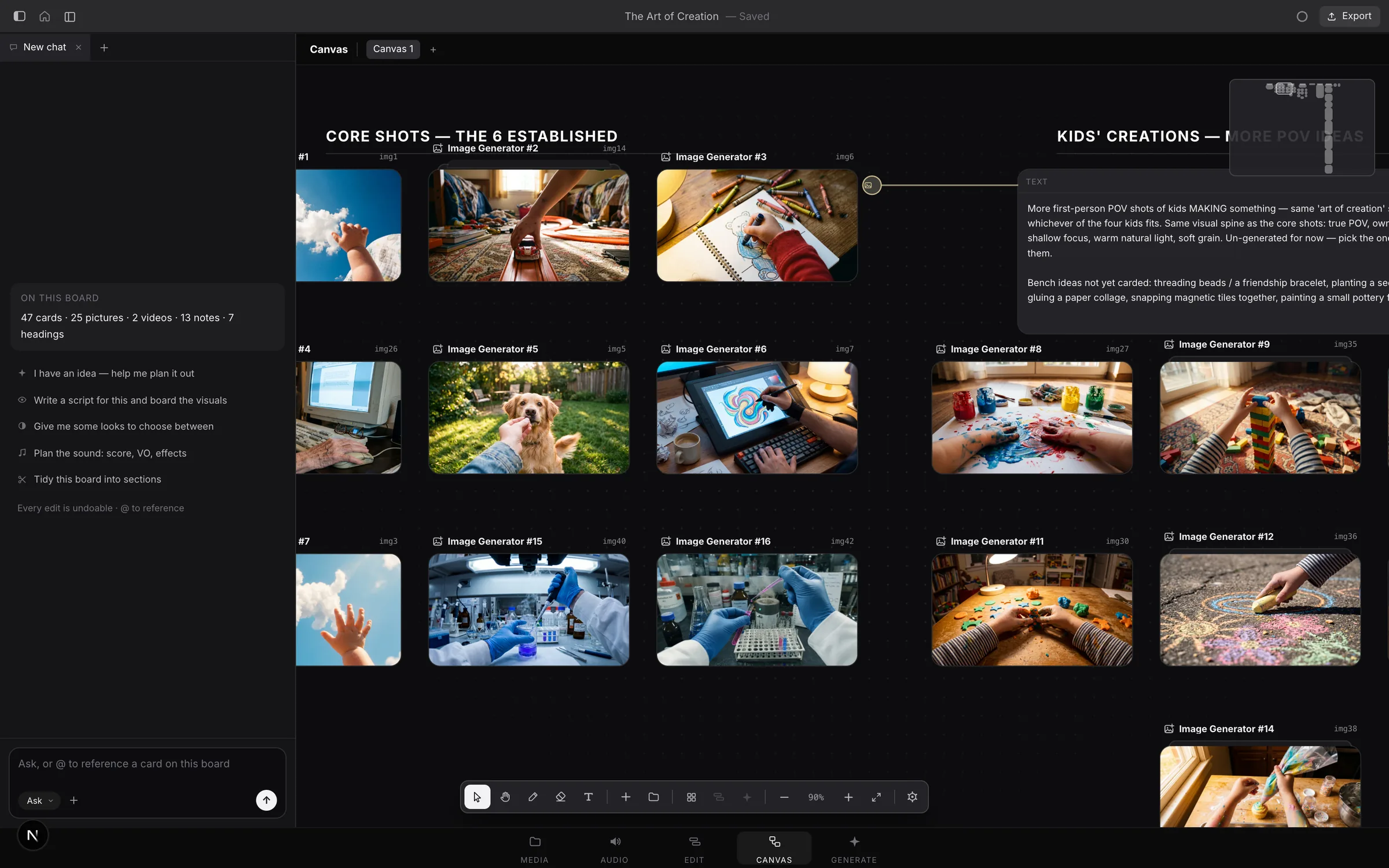
On the board, a voice take wired into a video card is how a character lip-syncs to recorded dialogue. Connect an audio node or an imported voice take, add a still for the face, and generate. When the take lands, the agent reports what the take actually said, checked against the line, and flags repeated or missing words.
Voice and picture then sit on the same timeline. The mix sets each dialogue clip to a steady level, so a quiet take and a loud take match, and music dips beneath speech.
When is a specialist tool better?
If you're making presenter-led corporate training, HeyGen and Synthesia are built for that, with avatars and translation at scale. Hedra is well known for expressive talking characters. If you're making a film with scenes, cuts and a score, you'll want the dialogue in the same project as everything else, which is what Tenet is for. It's a Mac app that needs Apple silicon. Tenet vs HeyGen and Tenet vs Hedra.
Questions
What is the best AI lip sync model?
It depends on the shot. Tenet includes several, so you can test the same line on two or three models and keep the best take.
Can I lip sync my own recorded voice?
Yes. Import the voice take and connect it to the shot, along with a still of the face.
Can I dub a film into another language?
Tenet includes ElevenLabs Dubbing among its clip tools.
How do I get rid of background noise in a voice?
Tenet includes ElevenLabs Voice Isolator among its clip tools.