
The best Captions alternatives in 2026
Captions makes talking video easy on a phone. When you want more than a talking head, these are the alternatives, led by Tenet, the AI film studio for Mac.
The short answer
Tenet is the best Captions alternative for creators moving from talking-head clips to generated films, with 63 models, a planning board, and a real timeline in a Mac app. CapCut is the strongest pick if you want to stay mobile and social, and Descript fits podcasters and script-based editing.
Why people look for a Captions alternative
Most people who look elsewhere have outgrown the talking-head format. They want b-roll they did not shoot, scenes that do not exist, or an ad that looks produced, and that calls for generation across several models.
Others want a bigger workspace. A phone is great for speed, and it gets cramped when a project has many shots, a score and a voice to keep in time.
Captions alternatives, ranked
Tenet
Tenet gives short-form creators a place to make more ambitious work, with your own footage and generated shots on one timeline, and captions built in.
Download for MacFree to download. Apple silicon, macOS 13.3 Ventura or later.CapCut
A free tier, phone and desktop apps, and an EditPilot agent for social editing. Tenet vs CapCut.
Descript
Edit by script, with the Underlord agent, for podcasts, webinars and clips. Tenet vs Descript.
HeyGen
Avatars and translation for marketing and training, in a browser. Tenet vs HeyGen.
Hedra
Expressive talking characters from a single portrait. Tenet vs Hedra.
Veed
A browser-based editor with subtitles and many AI video models. Tenet vs Veed.
Details about Captions were checked against its own pages on 2026-11-09 and can change. Sources: Captions pricing, Mirage.
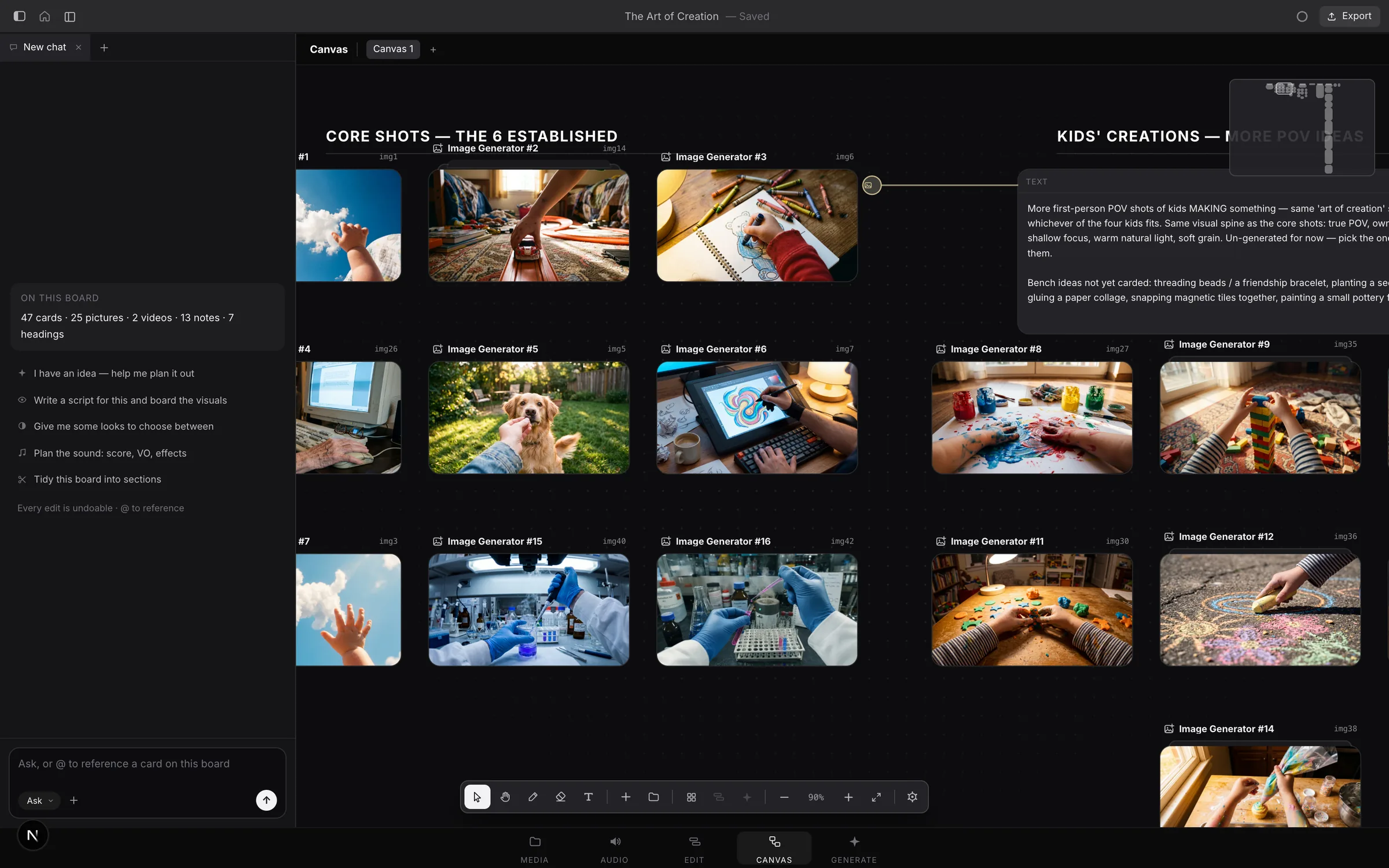
What to check before you switch from Captions
Are you filming, or generating?
If you are on camera, a capture-first tool helps. If the picture has to be made from nothing, you need generation.
Phone or Mac?
Tenet is Mac only, so decide where you want to work before switching.
How long are the projects?
Long or layered pieces benefit from a full timeline on a large display.
Questions about Captions alternatives
Does Tenet do captions as well?
Yes. Tenet has auto captions in the editor. You pick the language before anything runs, correct any word, and restyle every caption at once. The Captions app is built around phones and talking-head clips, while Tenet is built for generating and cutting a whole film on a Mac.
Which Captions alternatives work on a phone?
CapCut and invideo both list mobile apps, so look there if your phone is your studio. Tenet is Mac only, and it trades that reach for a planning board, 63 models and a full timeline on a bigger screen.
What's a good Captions alternative for Mac?
Tenet. It's a Mac app with captions, a multi-track timeline, and 63 generation models.
Is there an alternative to Captions for making AI b-roll?
Yes. Tenet can generate shots with models such as Kling 3.0 and Seedance 2.5 and put them beside your own footage.