
Sound model · Stability AI
Stable Audio 2.5 on your Mac
Stable Audio 2.5 is Stability AI's audio model, and it sits between a composer and a sound designer. In Tenet, the AI film studio for Mac, it's what you use for the sounds that aren't quite music and aren't quite effects: drones, pulses, textures, risers, and the short cues that tie scenes together.
The short answer
Yes, Stable Audio 2.5 runs on a Mac in Tenet. It makes music and sound from a text prompt, from 1 second up to about 3 minutes (190 seconds), and the result lands on your board and timeline. It's paid for with Tenet credits, so you don't need a Stability AI account.
Stable Audio 2.5 in Tenet
| Made by | Stability AI |
|---|---|
| Model in Tenet | Stable Audio 2.5 |
| Works from | A text prompt (text to music and sound) |
| Length | 1 second to about 3 minutes (190 seconds) |
| Pays with | Tenet credits. A credit is a cent, and the app shows an estimate before you generate |
What Stable Audio 2.5 is good at
Sound design with a pitch
A low tonal drone under a tense scene, a metallic shimmer over a reveal, a heartbeat pulse that speeds up: these sit between music and effects, and Stable Audio 2.5 handles both sides.
Quick, usable lengths
From a 1-second sting to a 3-minute bed, the range covers transitions, title cards and whole scenes. Stability AI says the model generates 3-minute tracks in seconds.
Licensed training data
Stability AI released Stable Audio 2.5 on September 10, 2025 for enterprise sound production, saying it was trained on a fully licensed dataset and describing it as commercially safe.
Loops and beds for edits
Ask for an even, steady texture and you get a bed you can run under a montage, trim to length and fade at either end on the timeline.
How to use Stable Audio 2.5 in Tenet
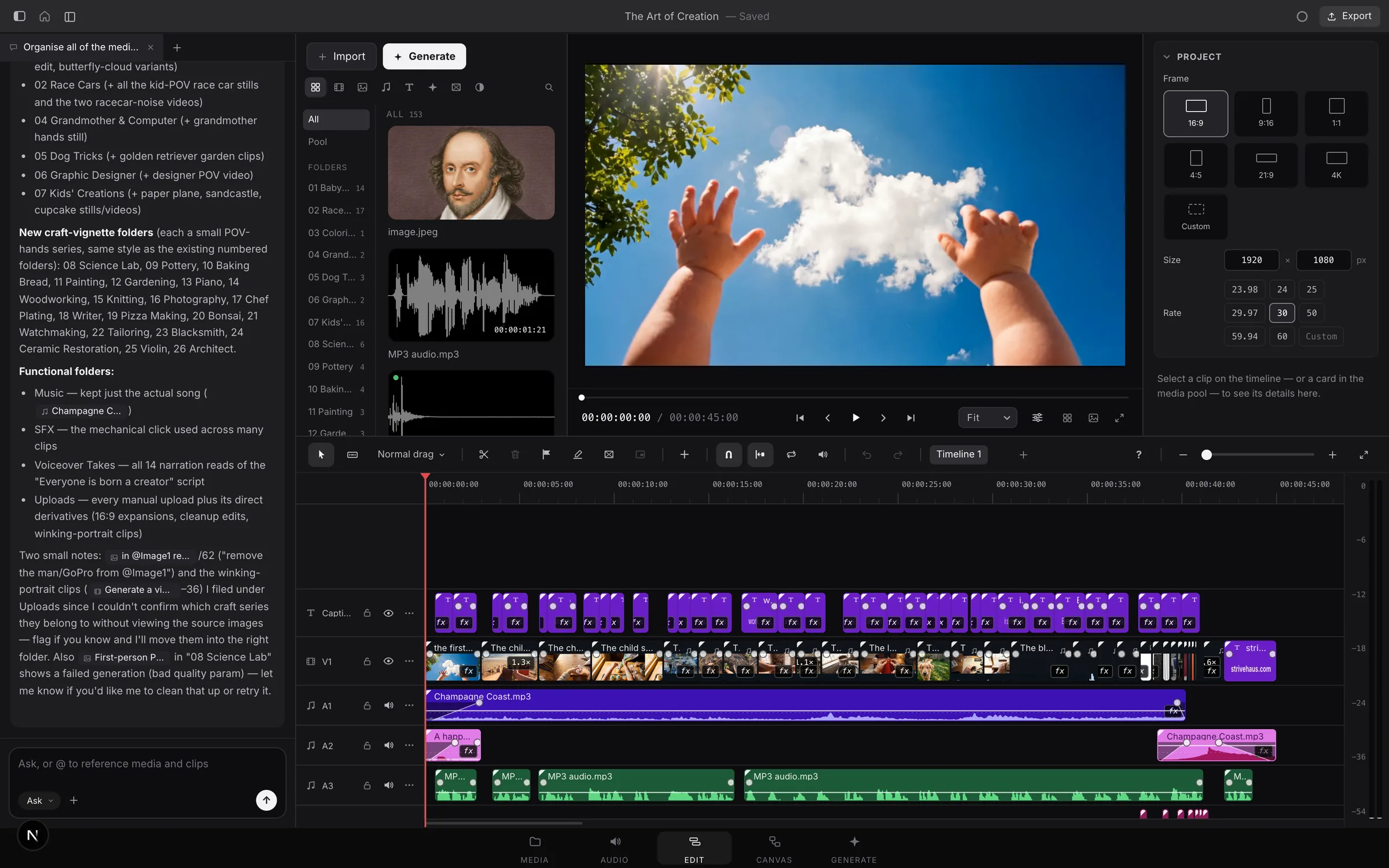
Select Stable Audio 2.5 in the model menu and set the length: a second or two for a sting, 20 to 60 seconds for a scene bed, up to about 3 minutes for a full cue. Describe the sound in physical terms, like "deep sub drone, slowly rising, distant metallic scrapes, no melody". The estimate shows beside Generate.
Each take lands on the board with its prompt and length, which matters for sound design: once you find a texture that works, you can make variations of it for other scenes and keep the film's sound consistent. Drag it onto the timeline under the picture and layer it with effects, voice and music.
Stability AI also offers audio inpainting, editing a section of a track while keeping the rest, in its own tools. In Tenet you work with whole generations and shape them on the timeline: trim, fade, keyframe the level and stack layers.
Getting good results from Stable Audio 2.5
Ask for no melody when you mean it
For a pure texture, say so: "no melody, no drums". Otherwise the model may add a tune that fights the score you lay later.
Build a sound palette
Pick three or four textures for your film's world, like a hum for the ship, a wind for the planet, a pulse for danger, and reuse their prompts everywhere. Repetition is what makes a world feel coherent.
Generate longer, cut shorter
For a sting, a slightly longer take gives you room to find the best two seconds. Trim it on the timeline rather than asking for an exact half-second.
Mix under, not over
Textures do their work at low volume. Bring them in until you notice them, then pull back a little. The audience should feel them more than hear them.
When another model is the better pick
For literal sound effects, a door, a footstep, a car pass, ElevenLabs SFX is the more direct tool. For melodic score with a clear emotional line, try Lyria 2, and for a song with vocals, MiniMax Music.
Trailers lean on exactly the kind of risers, hits and drones Stable Audio 2.5 makes, so the AI trailer guide is a good next read. For cues longer than 3 minutes, ElevenLabs Music 2.5 goes up to 10.
Questions about Stable Audio 2.5
How long can Stable Audio 2.5 tracks be?
In Tenet, Stable Audio 2.5 makes audio from 1 second to about 3 minutes (190 seconds).
Who makes Stable Audio 2.5?
Stability AI. It released Stable Audio 2.5 on September 10, 2025.
Is Stable Audio 2.5 commercially safe?
Stability AI says it was trained on a fully licensed dataset and describes it as commercially safe. You own what you generate in Tenet, and Stability AI's terms apply; see Tenet's AI content policy.
Can Stable Audio 2.5 make sound effects as well as music?
Yes, it makes both music and sound from a prompt. For short literal effects like footsteps or doors, ElevenLabs SFX is also in Tenet.
Is Stable Audio 2.5 free on Mac?
Tenet is free to download and edit in. Generations use credits: a credit is a cent, top-ups start at $10, and credits never expire.
The specs above are what Tenet offers, checked against the app on 2026-11-12. Background on Stable Audio 2.5 comes from Stability AI and the press, and can change: Stability AI: Stable Audio 2.5.