
Sound model · ElevenLabs
An AI sound effects generator on your Mac
ElevenLabs SFX turns a description like "boots on wet gravel, slow" into a sound you can use. In Tenet, the AI film studio for Mac, it's the sound design tool: foley, room tone, impacts and whooshes, generated and laid under the picture in the same app.
The short answer
Yes. Tenet puts ElevenLabs SFX, ElevenLabs' sound effects model, in a Mac app. You type what you want to hear and get an effect from 0.5 to 30 seconds long, which lands on your board and drops onto a track on the timeline. It runs on Tenet credits, so you don't need an ElevenLabs account.
ElevenLabs Sound Effects in Tenet
| Made by | ElevenLabs |
|---|---|
| Model in Tenet | ElevenLabs SFX |
| Works from | A text description (text to sound effect) |
| Length | 0.5 to 30 seconds |
| Also in Tenet | ElevenLabs Voice Isolator, which pulls a clean voice out of a noisy clip (4.6 seconds to 60 minutes of source) |
| Pays with | Tenet credits. A credit is a cent, and the app shows an estimate before you generate |
What ElevenLabs Sound Effects is good at
Foley for silent takes
Many generated shots come out silent or with sound you don't want. A door, a cup set down, a coat brushing past: describe the action and you get a spot effect to line up with the frame where it happens.
Ambience beds
Thirty seconds is enough for a bed of rain, traffic or forest that sits under a whole scene. Stack two beds at low volume and a location starts to feel like a place.
Trailer sound design
Whooshes, risers, hits and drones are the grammar of a trailer cut. Generate a handful, keep the ones that land, and lay them across your title cards.
Longer, cleaner clips in v2
According to press coverage of ElevenLabs' second version of the model, released around September 2025, it raised clips to 30 seconds, added seamless looping and moved to 48 kHz audio.
How to use ElevenLabs Sound Effects in Tenet
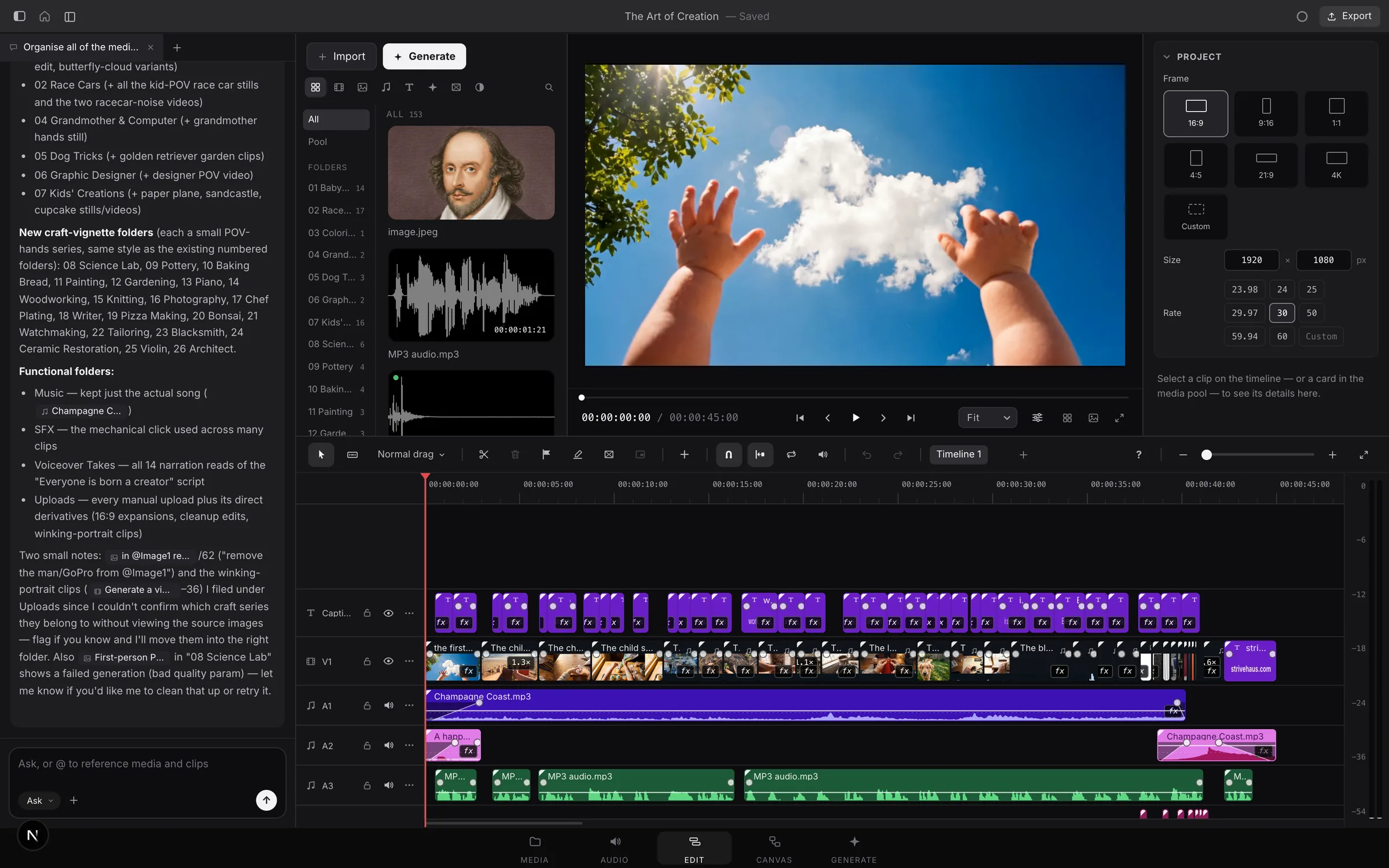
Open the model menu, pick ElevenLabs SFX, set a length between 0.5 and 30 seconds, and describe the sound. Be concrete about the source, the surface and the space: "heavy wooden door closing in a stone hallway, short echo" beats "door sound". Check the estimate beside Generate, then press it.
The effect lands on the board with its prompt, so a sound you liked can be found and regenerated later. Drag it onto its own track under the shot and line it up with the moment on screen. Because the timeline is multi-track, you can stack an ambience bed, two spot effects and the music in one scene and balance them against each other.
Dialogue recorded on location, or generated with a lot of noise around it, can be rescued too. ElevenLabs Voice Isolator in the same menu takes a clip from 4.6 seconds to 60 minutes long and pulls out a clean voice, which you can then lay new effects and ambience around.
Getting good results from ElevenLabs Sound Effects
One sound per take
Ask for a single event, not a whole scene. "Glass shatters on tile" gives you something you can place exactly; "a bar fight" gives you a blur you can't edit.
Match length to the moment
Spot effects rarely need more than a second or two. Save the longer lengths for beds and drones that sit under a scene.
Layer instead of perfecting
A punch that sounds thin alone often works with a low thud under it and a cloth rustle on top. Generate short layers and build the sound on the timeline.
Turn the shot's own sound down
If a video model made its own audio for the shot, lower or mute it where your effects take over, so two versions of the same footstep don't clash.
When another model is the better pick
For musical sound design, like a tonal drone or a texture that sits between music and effect, Stable Audio 2.5 is worth a run, and it goes up to about 3 minutes. For a cue with melody, go to a music model such as ElevenLabs Music.
Some shots don't need separate effects at all: several video models can make their own sound with the picture. When you want control over each sound, or the take came out silent, ElevenLabs SFX fills the gap. The AI trailer guide shows effects and music working together, and Tenet vs ElevenLabs compares the two apps.
Questions about ElevenLabs Sound Effects
How long can ElevenLabs sound effects be?
In Tenet, ElevenLabs SFX makes effects from 0.5 seconds to 30 seconds long.
Is there a free AI sound effects generator on Mac?
Tenet is free to download and its editor is free. Generating effects uses credits: a credit is a cent, top-ups start at $10, and unused credits never expire.
Can ElevenLabs SFX clean up noisy dialogue?
Not SFX itself, but ElevenLabs Voice Isolator, also in Tenet's menu, pulls a clean voice out of a noisy clip from 4.6 seconds to 60 minutes long.
Do I need an ElevenLabs account for sound effects?
No. ElevenLabs SFX runs on Tenet credits. There's nothing to sign up for at ElevenLabs and no API key.
Can I use generated sound effects commercially?
You own what you generate in Tenet, and each model's own terms apply, so check ElevenLabs' terms for your use. Tenet's AI content policy has the details.
The specs above are what Tenet offers, checked against the app on 2026-11-12. Background on ElevenLabs Sound Effects comes from ElevenLabs and the press, and can change: The Decoder: ElevenLabs sound effects v2.