
Video model · MiniMax
MiniMax H3 on your Mac
MiniMax H3 is the third generation of the video model behind Hailuo AI, which is why many people search for it as Hailuo 3. In Tenet, the AI film studio for Mac, it's the model to try when a shot needs to borrow from many sources at once: faces, a camera move from a clip, and a sound to match.
The short answer
Yes, you can run MiniMax H3 on a Mac through Tenet, alongside the H3 Max option, with no MiniMax or Hailuo account. It makes 5 to 15 second shots from a prompt, a start frame (with an optional end frame) or a set of references, at 720p, 1080p or 4K. Every shot comes with its own sound, and Tenet bills it from the same credit balance as its other models.
MiniMax H3 in Tenet
| Made by | MiniMax (the team behind Hailuo AI) |
|---|---|
| Versions in Tenet | MiniMax H3, MiniMax H3 Max |
| Works from | Text, a start frame with an optional end frame, or references |
| References | Up to 9 images, 3 videos (2 to 15 s) and 3 audio clips (up to 15 s), 12 in total |
| Resolution | H3: 720p, 1080p or 4K. H3 Max: 480p, 720p or 1080p |
| Frame shapes | H3: 16:9, 9:16, 1:1. H3 Max adds 4:3, 3:4 and 21:9 |
| Shot length | 5, 6, 8, 10, 12 or 15 seconds |
| Sound | Always on: every shot comes with its own audio |
| Pays with | Tenet credits. A credit is a cent, and the app shows an estimate before you generate |
What MiniMax H3 is good at
Mixing many kinds of input
MiniMax says H3 takes text, images, video and audio as context in one request. In Tenet that means a shot can draw on up to 9 pictures, 3 clips and 3 sound files at once, 12 references in all, wired in from your board.
Sound designed with the picture
MiniMax describes native stereo audio where voice, effects and music are modelled together rather than layered on afterward. In Tenet the sound is always on for H3, so every take arrives with a track you can keep or replace on the timeline.
Copying a move from a clip
MiniMax lists motion transfer and editing among H3's abilities. Give it a short clip of the camera move or the action you want, and describe who should be doing it.
Long single takes
Shots run up to 15 seconds, long enough for a walk-and-talk, a slow push-in or a reveal that needs time. MiniMax also mentions native multi-shot, so a single generation can contain more than one angle.
How to use MiniMax H3 in Tenet
Choose MiniMax H3 or MiniMax H3 Max in Tenet's model menu. Decide how the shot starts: from words alone, from a start frame (add an end frame if you want it to land somewhere specific), or from references. Set the length and the frame size, and check the credit estimate next to Generate.
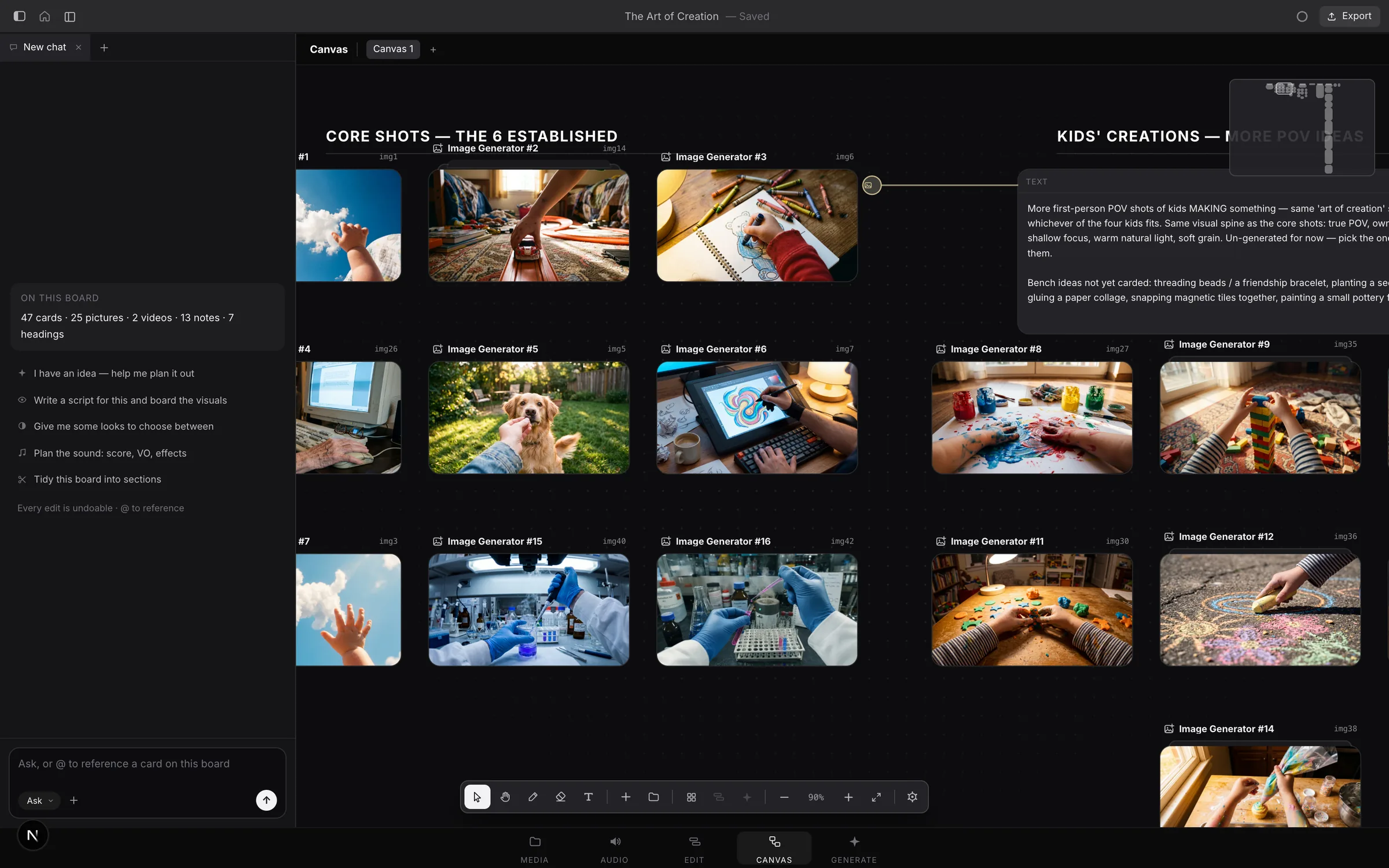
References are where H3 earns its place. Drag lines from your board into the card: the character sheet you made with Nano Banana Pro, a 4-second phone clip of the dolly move you want, and a short audio file for the mood. Then say in the prompt how they relate, for example "the woman from image 1 walks the corridor with the camera move from video 1".
The take lands on the board with its prompt, model, references and settings attached. Drop it on the timeline, trim it, put a title over it and export in H.264, H.265 or ProRes 422. If you'd rather not wire it yourself, the agent can plan the scene, build the references and generate the shots, asking first in Ask mode.
Getting good results from MiniMax H3
Name each reference in the prompt
With a dozen inputs, the model needs to know which picture is the hero and which clip is only for motion. Refer to them by order and say what each one is for.
Plan for the sound
H3 always makes audio, so write the soundscape into the prompt: "rain on a tin roof, distant traffic, no music". If you'll score the scene later, ask for quiet ambience you can sit music over.
Pick the tier by frame shape
Use H3 when you need 4K in 16:9, 9:16 or square. Switch to the H3 Max option for a 21:9 widescreen shot or a 4:3 or 3:4 frame.
Match length to the action
Ten or fifteen seconds is great for a single slow move. For quick coverage, 5 or 6 seconds keeps the motion tight and the credit cost lower.
When another model is the better pick
MiniMax itself says H3's visual detail can still improve. For a hero close-up where texture matters most, run the same prompt on Veo 3.1 or Kling 3.0 and compare the takes side by side on your board.
If you want sound off, for a shot that will sit under a narrator, pick a model with a sound switch, such as Kling 3.0 or Seedance 2.5. For a frame-accurate start-to-end move with a set of references, Gemini Omni Flash is another option to test.
Questions about MiniMax H3
Is MiniMax H3 the same as Hailuo 3?
MiniMax makes the Hailuo AI app, and H3 is the video model in its current generation, so people often call it Hailuo 3. In Tenet it appears as MiniMax H3 and MiniMax H3 Max.
How long can MiniMax H3 videos be?
In Tenet you can pick 5, 6, 8, 10, 12 or 15 seconds per shot, on both H3 and H3 Max. Longer scenes are built by cutting several shots together on the timeline.
Does MiniMax H3 make sound?
Yes. It always generates its own audio with the picture, and there's no switch to turn that off. You can mute or replace the track on Tenet's timeline.
What is the difference between MiniMax H3 and H3 Max in Tenet?
H3 renders at 720p, 1080p or 4K in 16:9, 9:16 or 1:1. The H3 Max option renders at 480p, 720p or 1080p and adds 4:3, 3:4 and 21:9 frames. Inputs, lengths and references are the same.
Can I use MiniMax H3 videos commercially?
You own what you generate in Tenet, and each model's own terms apply to its output. Check MiniMax's terms for your use, and see Tenet's AI content policy.
The specs above are what Tenet offers, checked against the app on 2026-11-12. Background on MiniMax H3 comes from MiniMax and the press, and can change: MiniMax: MiniMax H3 announcement.