
How to make an AI documentary or explainer
A documentary or explainer is built on its narration. Get the words right and the pictures have a clear job to do.
The short answer
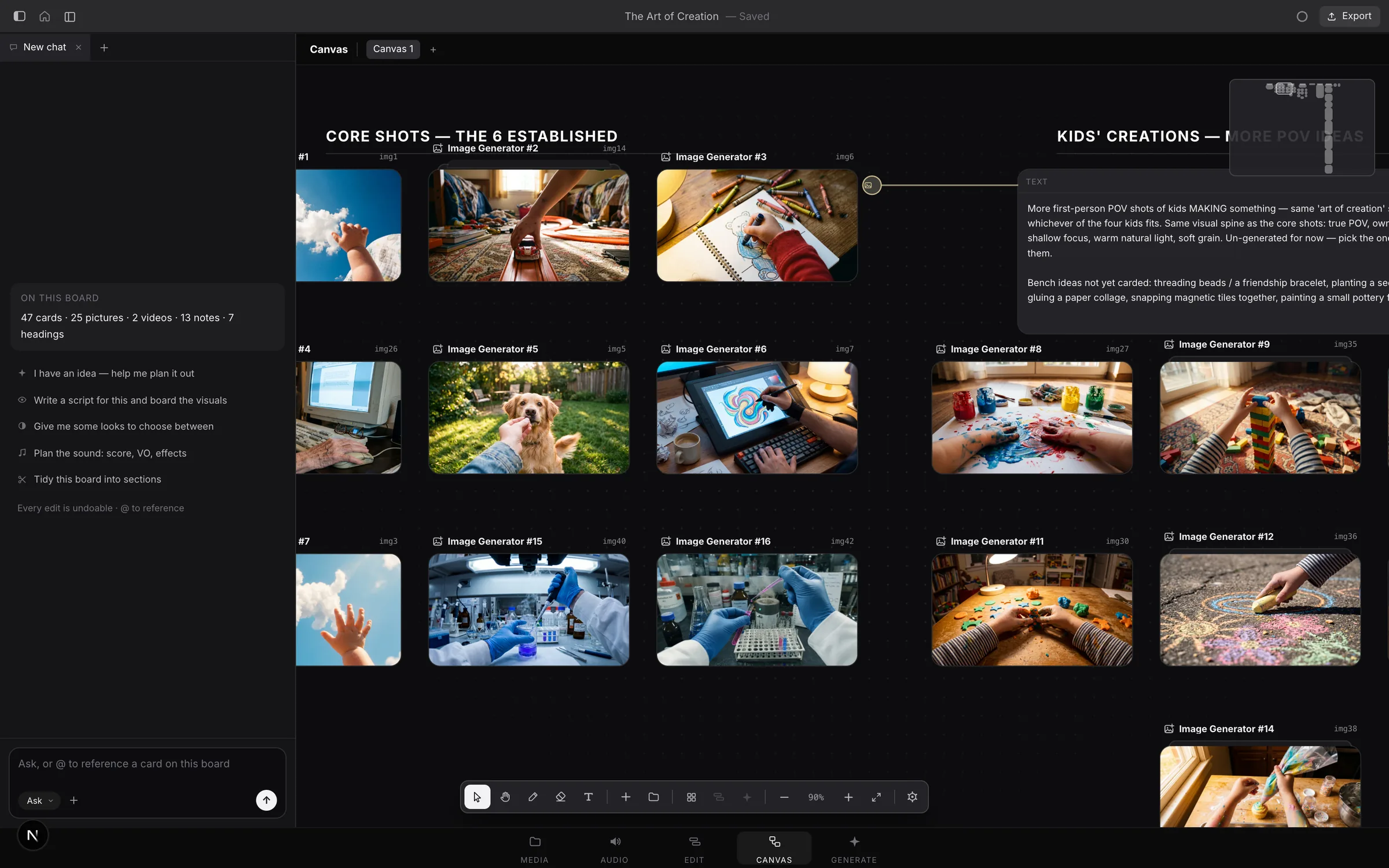
To make an AI documentary or explainer, research and write the narration first, record or generate the voice, then illustrate each line with generated or real footage and cut to the words. Tenet, the AI film studio for Mac, handles narration, generated visuals, captions and your own footage on one timeline. Label generated material honestly when the subject is factual.
Why does the script come first?
In a narrated film, the voice is the spine. A viewer will accept almost any picture as long as the words hold their attention. So do the research, write for the ear in short sentences, and read it aloud. Time it. At about two and a half words a second, a three-minute explainer is about 450 words.
If you have source documents, drop them into Tenet's chat. The agent can read PDFs, Word files and spreadsheets, and it plans from what's in them. Still check every fact yourself, since a language model can state something wrong with total confidence.
How do you choose a narrator?
Describe the voice by its character, such as a calm documentary narrator or a warm teacher, and search the voice library. Tenet includes ElevenLabs v4 and can search voices by description. If you'd rather use your own voice, record it and import it. Use one voice throughout, and set the narration as the anchor of your mix, with music underneath it.
How do you illustrate each line?
Real footage
Use it where it exists, and where you have the rights. It carries an authority that nothing generated can.
Generated reconstructions
Good for events nobody filmed. Keep a consistent, slightly stylized look so viewers can tell it's an illustration.
Diagrams and maps
Often clearer than anything cinematic. Generate a frame and add real labels as titles.
Captions
Tenet's auto captions let you set the language and correct the words. Plenty of explainers get watched without sound.
How do you stay honest with generated images?
This matters more here than in any other format. A generated image of a real event isn't evidence. Say so on screen or in the description, and don't generate pictures of real people doing things they didn't do.
A stylized look helps, because a painted or animated reconstruction doesn't pretend to be archive footage. Tenet's AI content policy has further detail on what's allowed.
How do you plan it in Tenet?
Say 'make me a 10-minute documentary about...' and the agent treats it as a whole piece with its own process. It starts with a short interview about the look, the tone and what the film must say, with a narrator as the default for documentaries and explainers. Then it works through five stages: Plan, Cast and places, Voice and music, Scenes, Final cut. Each one waits for your approval.
Longer pieces cost more and take more direction, so consider starting with one chapter. Plan mode lets the agent look into it and write a plan while changing nothing and spending nothing.
How do you finish it?
Cut the pictures to the words, and leave small gaps so a point can land. Keep the music low and let it change between chapters. Run captions over the final cut and correct them. Tenet can export ProRes 422 for a master or H.264 for the web, up to 4K. It's a Mac app that needs Apple silicon. If your film is mostly someone speaking to camera, Descript's script-based editing is also worth a look. Tenet vs Descript.
Questions
Can AI write my documentary script?
It can draft one from your sources, and Tenet's agent can read documents you provide. You should check each fact yourself before publishing.
Can I mix real footage with AI footage?
Yes. Import your own footage and place it on the same timeline as generated shots.
Should I disclose AI-generated images?
For factual films, yes. Viewers should be able to tell an illustration from a record of what happened.
Can I add captions automatically?
Yes. Tenet has auto captions, and you can correct the words and change their look.