
Tenet vs Wan
Wan is Alibaba's family of video models, and Wan 3.0 is one of the 63 models inside Tenet, the AI film studio for Mac. So the question isn't really Wan or Tenet. It's whether you want the model alone, or the model and a place to make the film.
The short answer
If you want to use Wan to make films on a Mac, use it inside Tenet. Wan 3.0, Wan 2.2 Speech to Video and Wan 2.2 Image are in the app on one credit balance, with no accounts or keys, beside 60 other models, a planning board and a real timeline. Go direct only if you want to run or build on Wan itself.
Tenet and Wan, side by side
| Feature | Tenet | Wan |
|---|---|---|
| Where it runs | Mac app (Apple silicon, macOS 13.3 or later). No browser or Windows version. | wan.video, Alibaba Cloud Model Studio and the Qwen Cloud API. |
| Models | 63 models from many makers, including Veo 3.1, Kling 3.0, Seedance 2.5, Nano Banana Pro, GPT Image 2.5 and ElevenLabs, on one credit balance. | Alibaba's own Wan models. Wan 3.0 is reported to be closed-weight, and Wan 2.2 is reported to be the last Apache 2.0 release. |
Details about Wan were checked against its own pages on 2026-11-09 and can change. Sources: Alibaba launches Wan 3.0 (Datanorth), Wan 3.0 overview (Morphic).
Why people choose Tenet over Wan
Wan 3.0 without the setup
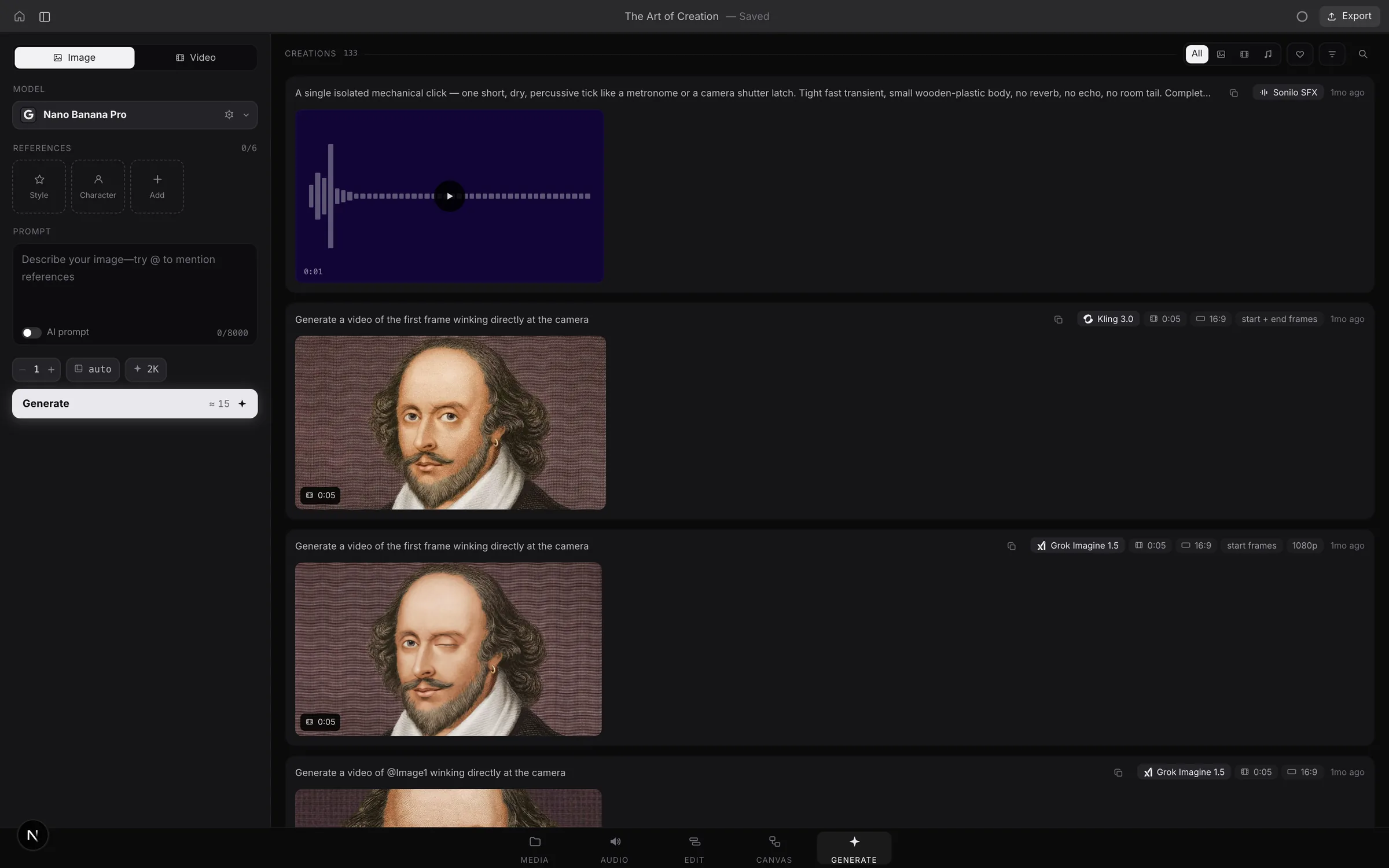
Reaching Wan directly can mean its website or a cloud API. In Tenet you pick Wan 3.0 from the same menu as everything else and describe the shot. The price shows before it runs, and there are no keys to manage.
Wan 3.0 takes references, and Tenet wires them up
Wan 3.0 reads images, videos and audio together. On Tenet's board, you wire a character sheet, a reference clip or a voice take into a shot and the card knows what it's working from. That makes the model's flexibility something you can see and adjust.
Compare it with what it competes against
Wan 3.0 is strong on some shots and not on others, as every model is. Run one prompt on Wan, Kling 3.0 and Seedance 2.5, keep each take with its settings, and carry on with whichever won. Each one stays on the board, in case you change your mind.
A model doesn't cut your film
Wan produces shots. Tenet's timeline turns them into something you can show, with tracks, titles, captions, keyframes, color and sound. When you're done, export at up to 4K in H.264, H.265 or ProRes 422.
Credits on your schedule
Generate when the project needs it. Tenet credits roll over and never expire, a credit is a cent, and a job that fails costs nothing.
When Wan is the better fit
Go direct if you're a developer calling Wan from your own code, or you specifically want to run the open-weight Wan 2.2 on your own hardware. Those are jobs for an API or a local setup, and Tenet isn't trying to replace them. Tenet also requires an Apple silicon Mac.
Questions about Tenet and Wan
Does Tenet have Wan 3.0?
Yes. Wan 3.0 is in the video menu, along with Wan 2.2 Speech to Video and the Wan 2.2 Image model.
Do I need to install Wan or own a GPU?
No. Pick the model in Tenet and it runs on credits. The app handles the rest.
Can Wan 3.0 lip-sync in Tenet?
Yes. Wire a voice take into the shot along with a still for the face, and Wan 3.0 can drive the character with it.
Is Wan open source?
Reports say Wan 2.2 was the last release under Apache 2.0 and that Wan 3.0 is closed-weight. Check Alibaba's own repository before relying on license terms.
What about commercial use of Wan output?
Each model's own terms apply to its output, and some limit commercial use. Tenet's AI content policy has the detail.