
Tenet vs ComfyUI
ComfyUI hands you the parts and lets you build whatever you like. Tenet, the AI film studio for Mac, hands you a finished workspace, so your time goes into the film instead of the plumbing.
The short answer
Tenet is the better choice if you want to make films rather than maintain workflows. It gives you 63 models on one balance, a real timeline and an agent, with nothing to install beyond the app. ComfyUI is the better fit for technical users who want free local running and control over every node.
Tenet and ComfyUI, side by side
| Feature | Tenet | ComfyUI |
|---|---|---|
| Where it runs | Mac app (Apple silicon, macOS 13.3 or later). No browser or Windows version. | Free Desktop app, which on a Mac needs Apple silicon (M1 or later) and macOS 13 or later. Also Comfy Cloud. |
| Price | Free download and free editor. Plans at $47, $97 and $197 a month. Top-ups from $10. | Desktop is free. Cloud is Standard $20, Creator $35, Pro $100 and Team $700 a month. |
| Unused credits | Roll over month to month and never expire. | Cloud plan credits don't roll over. Top-ups last a year. |
| Models | 63 models from many makers, including Veo 3.1, Kling 3.0, Seedance 2.5, Nano Banana Pro, GPT Image 2.5 and ElevenLabs, on one credit balance. | More than 900 preinstalled on Cloud, plus third-party Partner Nodes. |
Details about ComfyUI were checked against its own pages on 2026-11-09 and can change. Sources: Comfy Cloud pricing, ComfyUI Desktop for macOS.
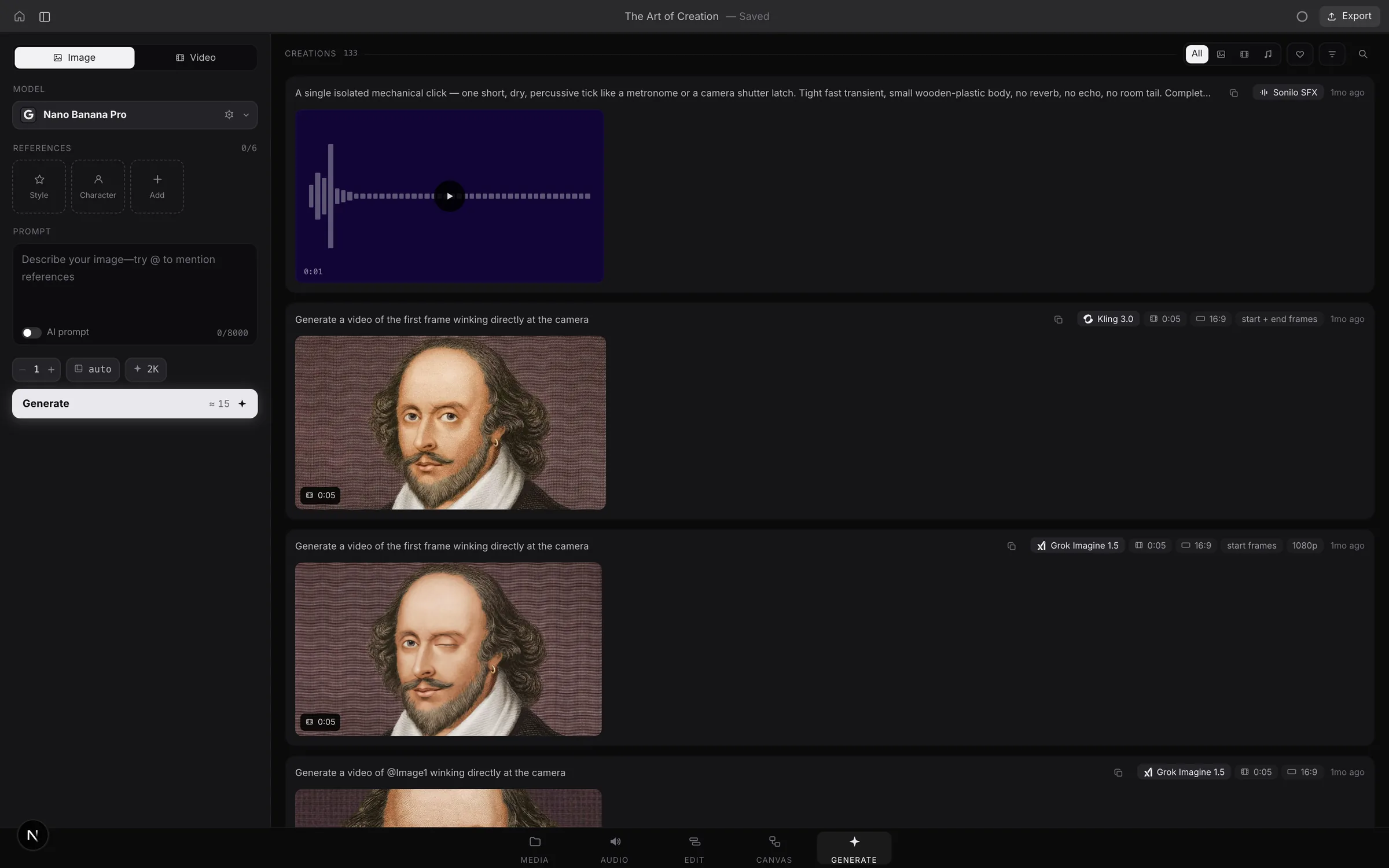
Why people choose Tenet over ComfyUI
Nothing to wire before you start
A good ComfyUI video graph takes real skill to build and keep working. In Tenet you pick a model and describe the shot, or tell the agent about the film and let it lay out the plan. You review it and approve it before anything is generated.
A finished film at the end of the road
ComfyUI is excellent at producing pieces. Tenet is where the pieces become a film, with a timeline holding titles, captions, keyframes, color and sound, and exports in H.264, H.265 and ProRes 422.
Cloud-quality models without hardware worries
Tenet runs Veo 3.1, Kling 3.0 Pro, Seedance 2.5 and the rest from one balance, so your Mac's memory doesn't decide which shot you can make. A job that fails costs nothing, and the price appears before it runs.
Your character stays the same person
Consistency in a node graph means building and tuning a reference pipeline yourself. Tenet's agent makes character and location sheets first and then draws every shot from them.
When ComfyUI is the better fit
ComfyUI wins outright on control. It's free to run locally, it's open, and if you want to fine-tune a pipeline or use a model nobody else hosts, nothing we sell replaces that.
Plenty of people use both: ComfyUI for an unusual look, then Tenet to plan, generate the rest, and cut the film.
Questions about Tenet and ComfyUI
Is ComfyUI free?
The Desktop app is free to run on your own machine. Comfy Cloud has paid plans from $20 a month, and its plan credits don't roll over.
Does ComfyUI run on a Mac?
Yes. Its desktop app needs Apple silicon and macOS 13 or later. Tenet needs Apple silicon and macOS 13.3 Ventura or later.
Can I import ComfyUI results into Tenet?
Yes. Tenet's free editor works with your own footage, so anything you render elsewhere can go on the timeline beside the shots you generate.
Do I need a powerful Mac for Tenet's models?
Generation runs through the models themselves, so you can use the big video models from any supported Apple silicon Mac. The app shows the price first.