
Video model · ByteDance
Seedance 2.0 on your Mac
Seedance 2.0 is ByteDance's video model that makes picture and sound together and takes text, images, audio and video as input. Tenet, the AI film studio for Mac, has it in three versions, so you can draft cheaply and finish at full quality without leaving the family.
The short answer
Yes, Seedance 2.0 runs on a Mac in Tenet, along with Seedance 2.0 Fast and Seedance 2.0 Mini, all on one credit balance with no ByteDance account. Each makes 4 to 15 second shots from a prompt, a start frame (plus an optional end frame) or up to 12 references. The full model renders up to 1080p; Fast and Mini go up to 720p for quicker, lower-cost drafts.
Seedance 2.0 in Tenet
| Made by | ByteDance (ByteDance Seed) |
|---|---|
| Versions in Tenet | Seedance 2.0, Seedance 2.0 Fast, Seedance 2.0 Mini |
| Works from | A prompt; a start frame with an optional end frame; or references (all three versions) |
| References | Up to 9 images, 3 videos (2 to 15 seconds) and 3 audio clips (up to 15 seconds), 12 in total |
| Resolution | Seedance 2.0: 480p, 720p or 1080p. Fast and Mini: 480p or 720p |
| Clip length | 4, 5, 8, 10, 12 or 15 seconds |
| Frame shapes | 21:9, 16:9, 4:3, 1:1, 3:4, 9:16 |
| Sound | Can make its own sound with the picture |
| Pays with | Tenet credits. A credit is a cent, and the app shows an estimate before you generate |
What Seedance 2.0 is good at
Audio and video from one model
ByteDance describes Seedance 2.0 as a single model that generates audio and video together, rather than adding sound afterwards. Dialogue, effects and ambience come out timed to the action.
Mixed inputs
It takes text, images, audio and video, so a shot can be steered by a still of the actor, a clip of the move you want and a recording of the line. In Tenet that's up to 12 references in one job.
Directing the performance
ByteDance says Seedance 2.0 lets you direct performance, lighting and camera movement. Write those as you would for a crew: who moves, where the light comes from, what the camera does.
Multi-shot clips
The press described Seedance 2.0 making multi-shot clips of up to 15 seconds, which is the top length in Tenet. A short exchange with a cut or two can come out of one job.
How to use Seedance 2.0 in Tenet
Pick the version for the stage you're at. Seedance 2.0 Mini is the low-cost choice for testing whether an idea works at all. Seedance 2.0 Fast is for quicker passes once you know what you want. Seedance 2.0 is for the take you'll keep, and it's the one that goes to 1080p. All three take the same inputs, so a prompt that works on Mini moves straight up to the full model.
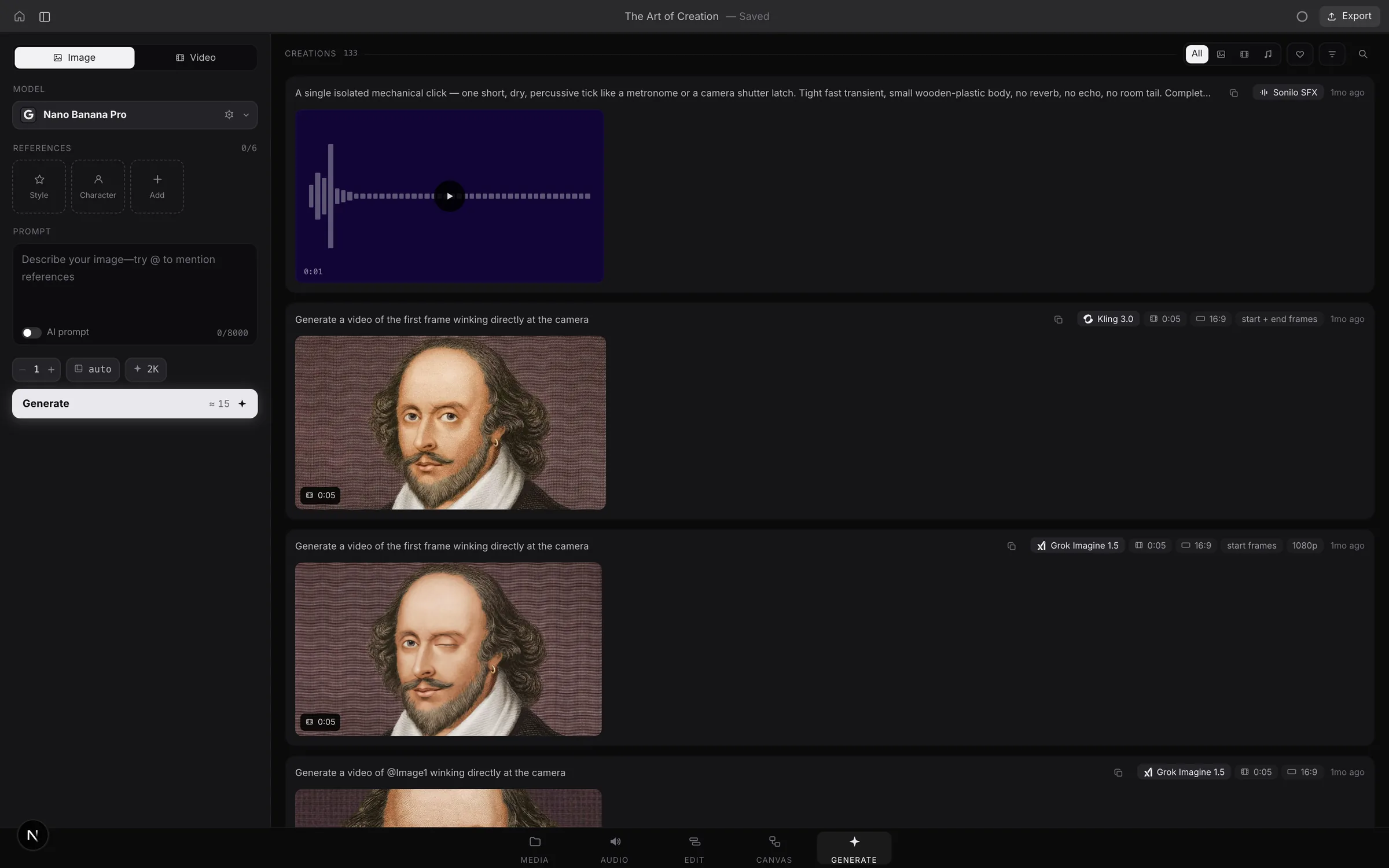
Add a video card on the board, choose the version, and wire in a start frame or references. Set the length between 4 and 15 seconds, the resolution and the shape. The credit estimate sits next to Generate, so you can see what a draft costs against a final before you press it.
Run one prompt on Mini and on the full model and the takes sit side by side in one feed, each with its settings attached. When a take is right, drop it on the timeline, add titles, captions and score, and export. The agent can run the same draft-then-final loop for a whole scene, and anything it changes can be undone.
Getting good results from Seedance 2.0
Lock staging at 480p
Blocking, timing and camera path show up fine at 480p. Use Mini or Fast at that size until the shot is right, then render once on Seedance 2.0 at 1080p.
Keep the prompt identical between versions
When you move a shot from a draft version to the full model, keep every other setting the same. Then any difference you see comes from the model, and you know what you're paying for.
Spend references where they count
Twelve references sounds like a lot, but nine images go quickly. Use one strong picture per character and place, and save the video slots for motion you can't describe in words.
Use start and end frames for continuity
Give the last frame of the previous shot as the start frame of the next, and two Seedance clips will cut together without a jump.
When another model is the better pick
When a shot needs to run past 15 seconds or lean on dozens of references, step up to Seedance 2.5, which goes to 30 seconds and 50 references. For prompt-only shots with sound and no frame, Veo 3.1 has its own Fast and Lite versions for drafting.
For a strong physical move between a start and an end frame, try the same pair on Kling 3.0 Pro. And for a quick talking shot from one picture and a few seconds of speech, Wan 2.2 Speech to Video is built for exactly that.
Questions about Seedance 2.0
What is the difference between Seedance 2.0, Fast and Mini?
In Tenet all three take the same inputs, lengths and frame shapes. Seedance 2.0 renders at up to 1080p and is the one to finish on; Fast and Mini stop at 720p and are meant for quicker, lower-cost drafts.
When was Seedance 2.0 released?
ByteDance Seed released Seedance 2.0 on February 12, 2026, first in China.
How long can Seedance 2.0 videos be?
4, 5, 8, 10, 12 or 15 seconds per clip in Tenet, for all three versions.
Do I need a ByteDance account to use Seedance 2.0?
No. Tenet runs every model on its own credits, so there's no ByteDance account or API key. A credit is a cent, top-ups start at $10, and credits never expire.
Can I use Seedance 2.0 videos commercially?
You own what you generate in Tenet, and each model's own terms apply to its output. Check ByteDance's terms for your use, and see Tenet's AI content policy.
The specs above are what Tenet offers, checked against the app on 2026-11-12. Background on Seedance 2.0 comes from ByteDance and the press, and can change: ByteDance Seed: Seedance 2.0.