
AI filmmaking on a Mac
Most AI video tools are browser tabs that happen to work on a Mac. Here's what it looks like to work in a real Mac app instead, and what you'll need.
The short answer
AI filmmaking on a Mac needs Apple silicon if you want Tenet, the AI film studio for Mac, which runs on M1 or later with macOS 13.3 Ventura or later. Generation happens on model providers' servers, so you don't need a top-end GPU. Editing, the canvas and the agent run in the app, and exports can render on the Mac itself.
What Mac do you need?
For Tenet, any Mac with Apple silicon, meaning M1 or later, running macOS 13.3 Ventura or later. Intel Macs aren't supported. If you're not sure which you have, open the Apple menu and choose About This Mac.
More memory and more storage help with long projects and 4K material, as they do in any editor. But you don't need a high-end machine to generate, since the video models themselves run in the cloud and the credits pay for that work.
Why use a Mac app rather than a browser?
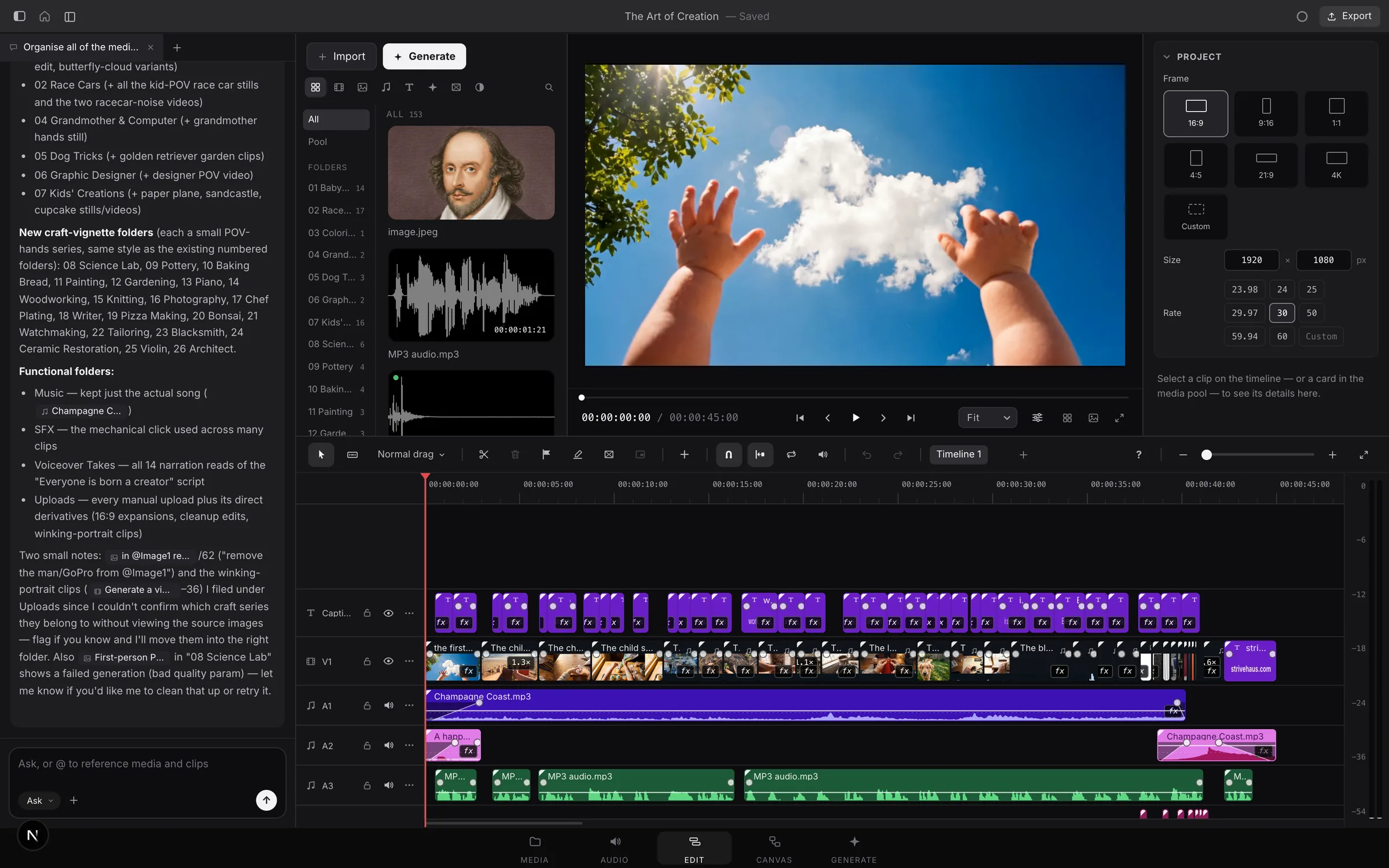
A film project is heavy: many clips, audio tracks, and a timeline you want to scrub through smoothly. Tenet caches your media on your Mac and syncs it to storage, so what you're working on is close at hand. Exports can render on the Mac, including with no internet connection.
Browser tools have real advantages too. They work on any computer, and they're easy to share with a team. If you need that, a web platform such as Runway, Higgsfield or LTX Studio will suit you better. If you work on one Mac and want a proper workspace, a native app feels more like editing and less like waiting on a page.
Can you run AI video models locally on a Mac?
Some, with effort. ComfyUI has a free desktop version for Apple silicon, and it gives technical users a lot of control through node workflows. The best-known current video models, though, generally have to run on someone else's servers, and big local models want more memory and patience than most laptops have.
Tenet takes the practical route. Editing happens on your Mac, generation happens on the models' hosts, and a credit balance pays for it. Tenet vs ComfyUI compares the two approaches.
What does a simple Mac workflow look like?
Install one app
Download Tenet, open it and sign in. You subscribe on the web if you want a plan, and the same account works in the app.
Start on the canvas
Write the idea on the board, or tell the agent what you want to make.
Generate and compare
Pick a model per shot. Every take lands on the board with its settings.
Cut on the timeline
Drag takes across, or have the agent place, trim and mix them.
Export
H.264, H.265 or ProRes 422, up to 4K.
What other Mac apps should you know about?
Final Cut Pro is Apple's own editor, and Resolve is the finishing standard. Both are very good at editing, and neither lists generative video among its features, so they pair well with footage made somewhere else. Tenet's ProRes 422 export makes it easy to send a cut to either one.
Captions runs on iPhone and Mac for short talking-head video. For a broader list, see the best AI video editor for Mac.
What about privacy on a Mac?
Your Tenet projects are served only to your account. Media is cached on your Mac and synced to storage. A prompt and its media go to the model that runs the job and nowhere else. Your work isn't used to train models or sold, and there are no ad trackers. The app sends usage reports to help fix it, and one switch in Settings turns them off.
Questions
Can I do AI filmmaking on a MacBook Air?
If it has Apple silicon and macOS 13.3 or later, Tenet will run on it. Generation happens in the cloud, so the Mac doesn't do that work.
Do I need an internet connection?
Generating and the agent need one. Tenet can render an export on your Mac without one.
Is there a Windows version of Tenet?
No. Tenet is a Mac app only, with no browser or Windows version.
How big is the download?
The installer is about 215 MB.